Apple and Google have a long and storied history of "borrowing" ideas from one another, especially when iOS and Android are concerned. Things have gotten to the point where, after years of back and forth, the number of unique features on each platform is pretty low.
But each new iteration of Android and iOS software comes with some exclusive new features that the other platform could benefit from. The reveal of iOS 27 at WWDC 2026 is no exception, and there are plenty of impressive things that will be launching on iPhones later this year.
I've been a loyal Android user for the past 15 years, and even I have to admit that Google should be taking notes right about now. Android should definitely steal these five iOS 27 features as soon as possible.
Reframe
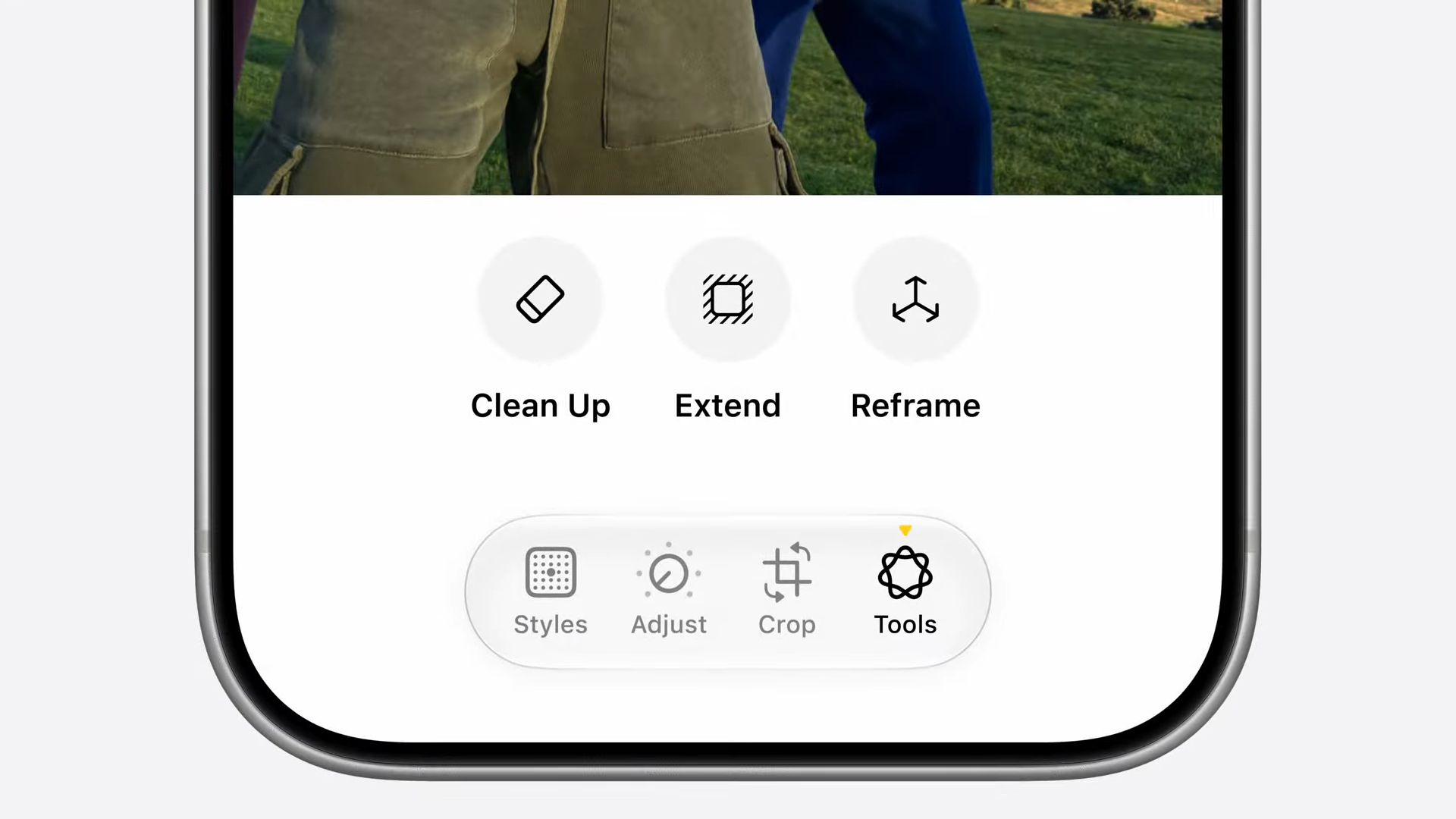
The iOS 27 feature that stole the show at WWDC, Reframe is an AI-powered photo editing tool that is unique to iOS 27 — and it shouldn't stay that way for long.
The purpose of Reframe involves something Apple calls "Spatial Reframing." That means Reframe is capable of taking your photos and altering the perspective, changing the look and angle in the process. Best of all, it doesn't just work on Apple's spatial photos, or even photos taken on an iPhone. The photos can come from any camera, and Apple Intelligence will be able to run them through Reframe.
You adjust the perspective on your screen, based on a real-time preview, and generative AI will fill in all the gaps to make it look as though you shot that photo from a totally different angle. This means you don't need to worry so much about photo composition, because iOS 27 will be able to fix it for you.
New parental controls
Android already has child accounts for under-13s, and there are some fairly robust parental controls available to parents. But this doesn't mean improvements couldn't be made, and Apple's WWDC presentation offered a few ideas on where Google can take things.
The thing that helps set Apple's new parental controls apart is that they're not about generalized blocks on certain kinds of content. Kids attempting to access certain sites or apps can send a request to their parents' device, which lets them gauge the suitability for that individual thing at their own leisure. It's not about setting up keywords or blocking specific categories; parents can deal with these things on a case-by-case basis.
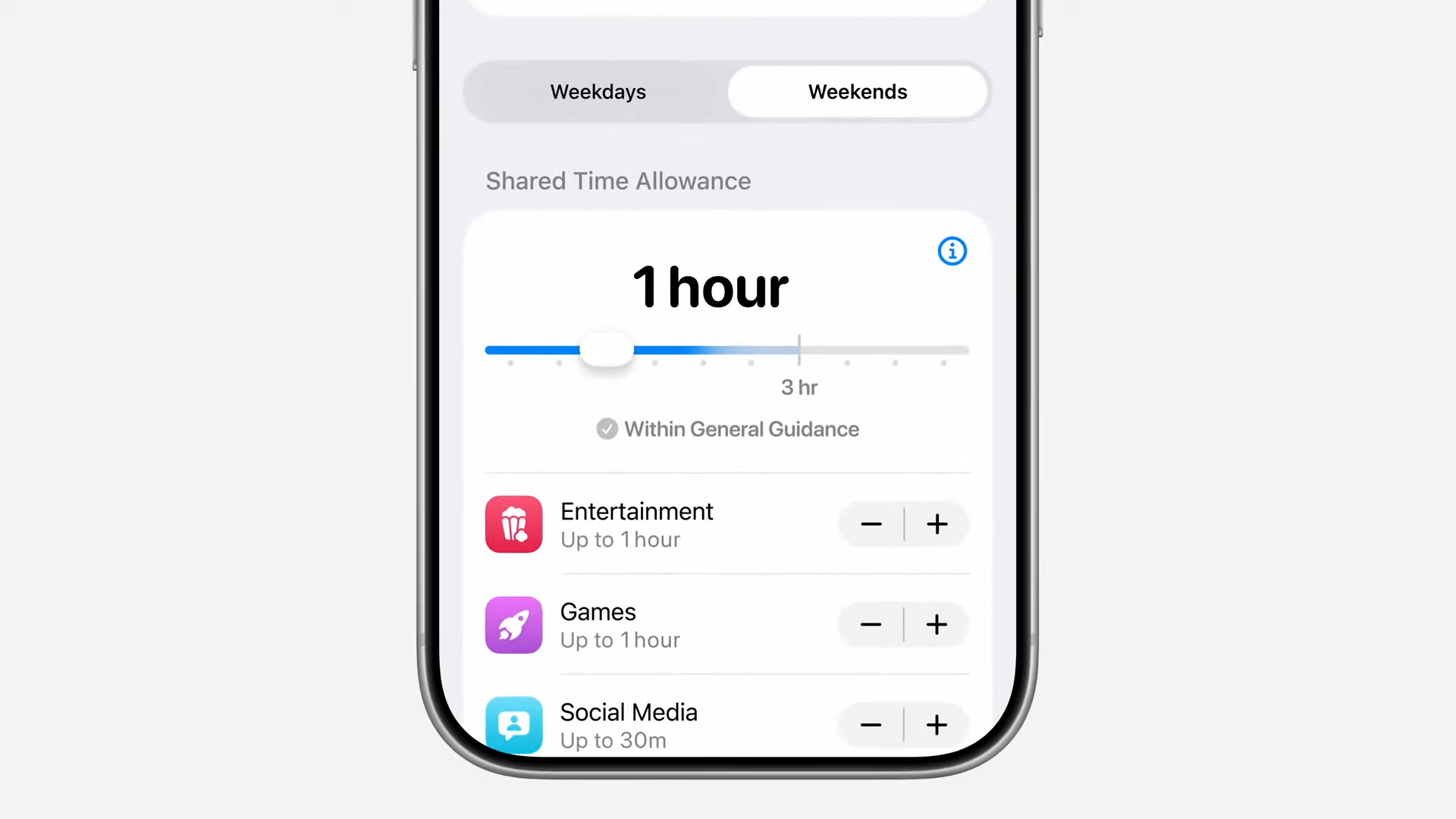
Similarly, the new Time Allowances feature lets parents decide on limits for specific app categories, but not others. Not only does that offer some nuance to the way their kids interact with Apple devices, but it also means parents don't need to block every individual app.
Shortcuts
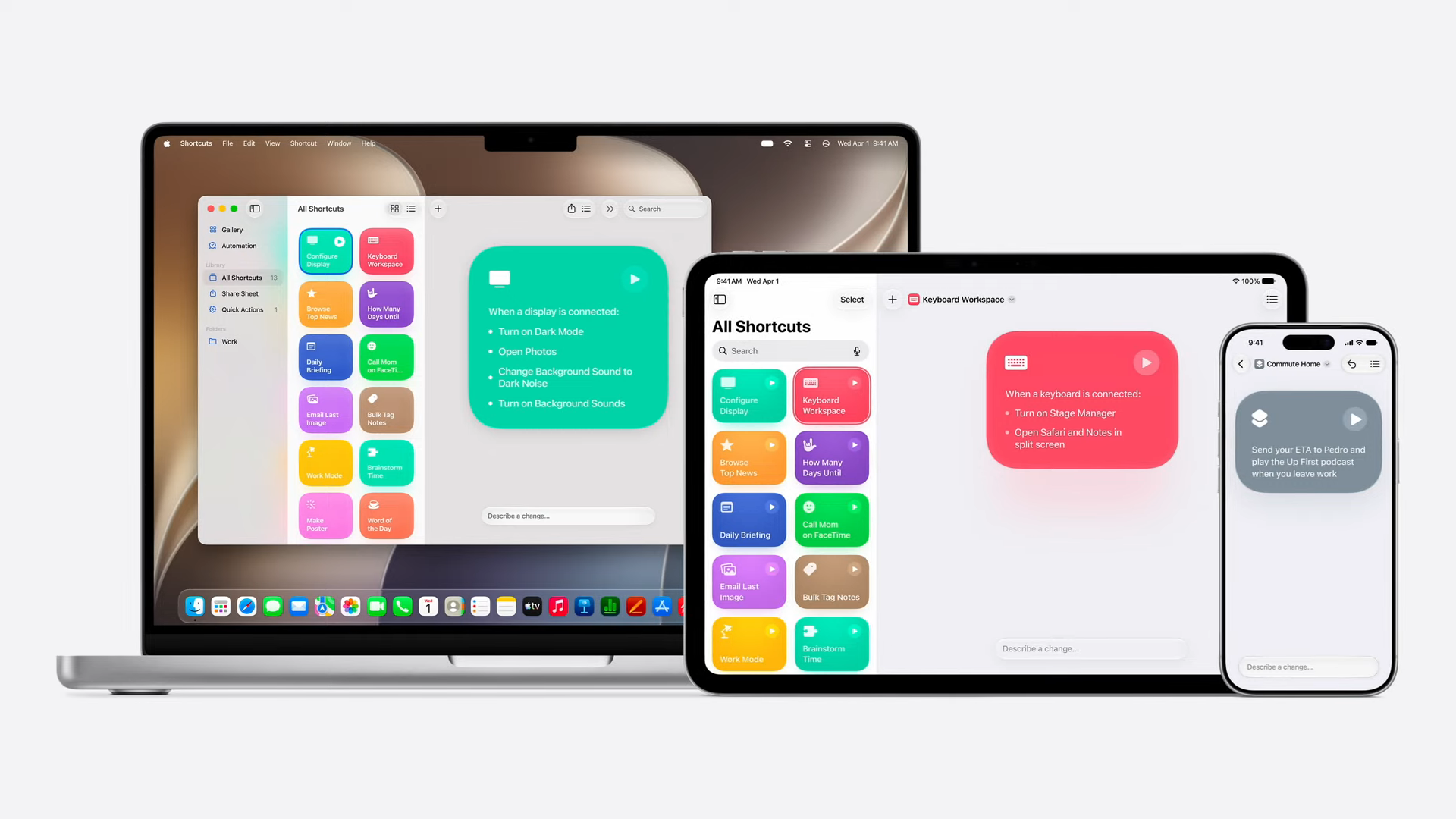
The Shortcuts app is not new for iOS 27, and has been available in various forms for over a decade. But there's still no native Android app for creating automations, leaving users at the mercy of third-party offerings on Google Play. I'm not saying those options are bad, but if there's a time for Google to launch its own Shortcuts-style app on Android, it's now.
iOS 27 is set to give Shortcuts one of its biggest updates with the addition of prompt-based creation. Before, Shortcuts required some know-how, which could be intimidating for users who didn't know exactly what they were doing. Adding the option to describe what automation you want and have Apple Intelligence create those shortcuts right away makes the whole process so much simpler.
Considering Google's push to have Gemini do more for you and make the whole process of using AI even easier, this is exactly the kind of native feature that Android could benefit from.
Bringing AI back to the camera
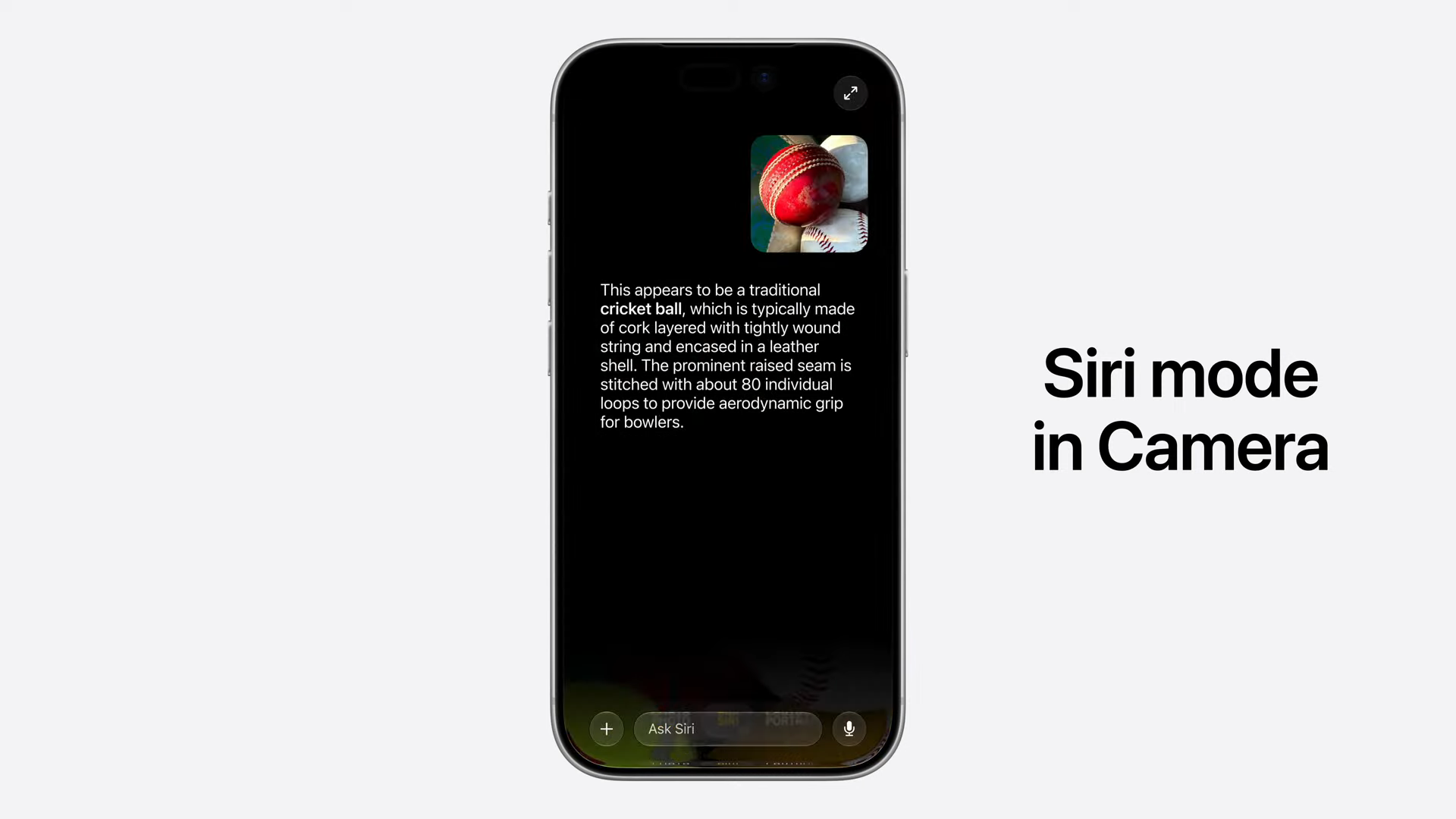
I'm not talking about AI processing after you take a photo. Every Android phone does that, and has been doing so for several years now. I'm actually talking about how Apple has brought a new Siri Mode to the iPhone camera, and essentially replaced Visual Intelligence as a standalone feature.
Google Pixel phones used to have a special mode for Google Lens, but that was removed a few years back. The app is capable of offering some contextual Lens features, such as translation or QR code scanning, but there's no clear and defined AI mode. Adding Gemini Live might make more sense than reintroducing Lens, especially now that Circle to Search is so well established. But it should still happen.
Of course, making it happen for every Android phone might be a little harder, since different manufacturers tend to use their own default camera app. But even making the change on Google's own Pixels would be a good start.
Automatically changing passwords
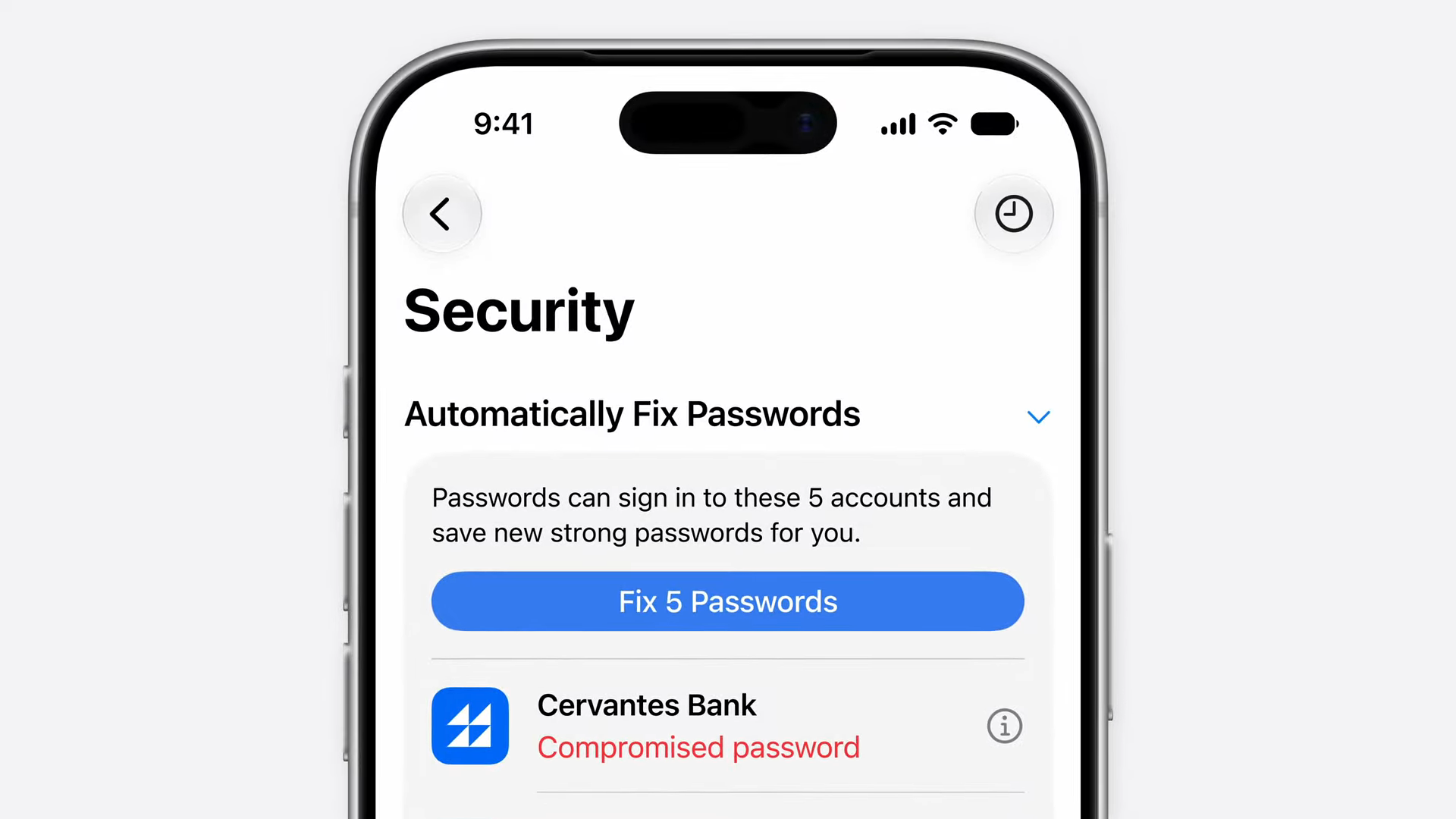
Google has had a password manager for a long time, but it's been clear over the last few years that it's severely lacking compared to Apple's offering. Android lacks features like integrated authentication code support and now iOS 27 is smartening up Apple Passwords in other big ways.
Thanks to the addition of agentic AI, Apple Passwords will soon be able to change weak passwords for you — without any intervention on your part. In other words, if your passwords are caught up in some kind of data breach, Apple Intelligence should automatically change it for you.
That way, you don't have to check breach reports, log into your old accounts, and go through the motions of swapping one password for another.
Bonus: More system refinements
Aside from improving its AI prowess, Apple's main focus with iOS 27 is to improve the overall performance of the software itself. According to Apple, its engineers have been scouring the operating system for anything that can be improved and refined to improve the speed and generally bolster performance on a system level.
Optimizing software is one of the things Apple is best known for, and it means iPhone and iOS work together in a much more harmonious way than even the best Android phones can hope for. This is why Google should go ahead and do something similar with a future version of Android. The results may not be as impressive, considering Android has to be able to run on more phones than I can count, but any attempt to improve the platform's efficiency and performance can only be a good thing.
More from Tom's Guide
- iPhone Ultra is coming, and there's already evidence of its existence in iOS 27 beta
- Siri AI may actively encourage users to take a break from it — something ChatGPT, Gemini and Claude told me they don't do
- I saw the new Siri AI in action at WWDC — and those 'Siri is stupid' jokes could soon be obsolete