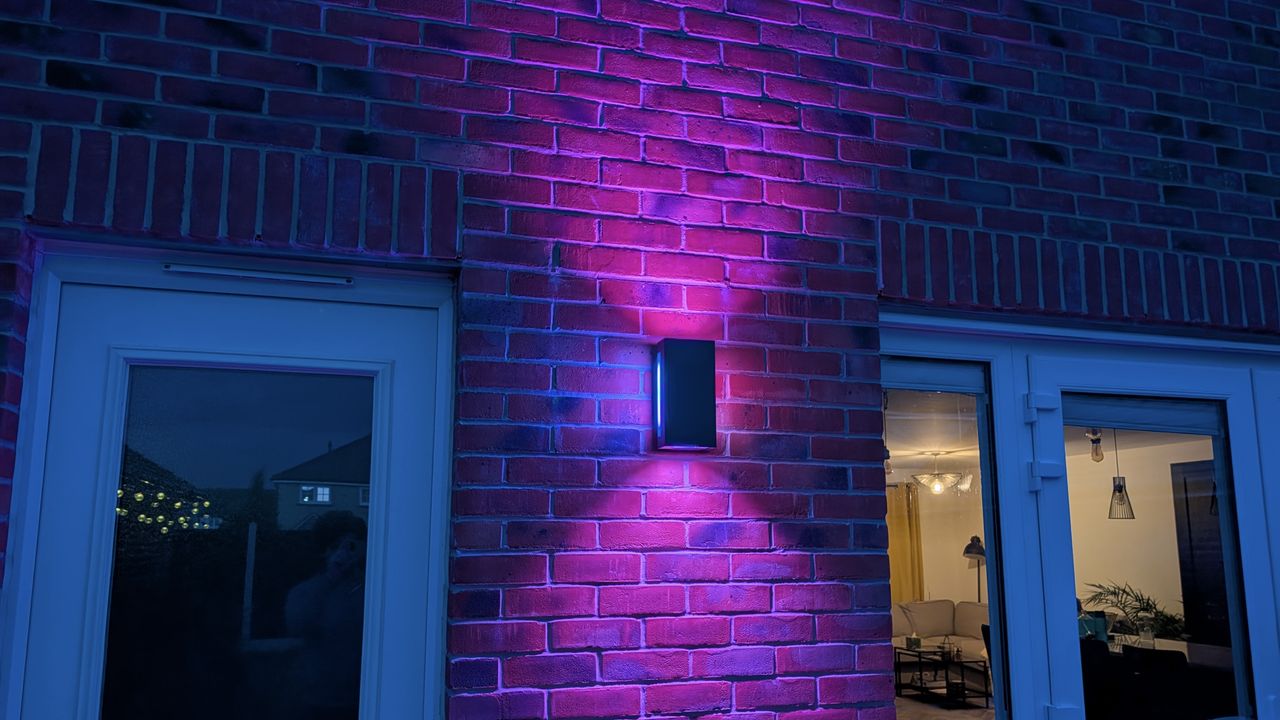
The Govee Outdoor UpDown Wall Light brings a splash of colour to your outdoor space, with a huge array of colour and scene options, and a fleet of smart controls that allow you to create the perfect illumination.
Govee makes some of the best smart lights around, and its Outdoor UpDown Wall Light joins a roster of impressive products such as the Govee Ceiling Light, Gaming Pixel Light, Mini Panel Lights and Floor Lamp Pro – so I knew I was in good hands when it came time to test these lights.
I installed them on my own home – one in the garden, and the other on my driveway – to find out how well they perform, and to see whether they hit the same highs as the brand’s other products.
Price and availability
The Govee Outdoor UpDown Wall Light is priced at £229.99/$229.99, although it’s regularly discounted, so shop around before making any purchases. It's available directly from Govee's online store, as well as a range of third party retailers in the US and UK, including Amazon.
You get two UpDown lights in the box, and there's currently no option to purchase a single unit. That means if you're only looking to install an odd number of wall lights, you may end up with one spare.
Govee does offer a cheaper option if your budget doesn’t stretch to the premium UpDown model, with the less feature-packed Outdoor Wall Light costing £169.99/$169.99.
Unboxing and set up
The first thing that struck me when the package arrived was just how heavy it was. Sure, you get two lights in the box, but each has a considerable heft to it.
After carefully lifting the lights out of the box, I discovered each one has an accompanying small plastic bag with the mount and accessories required to install them. A paper quick start guide is included, along with a user manual, combining to offer enough details to get the units physically installed on your walls and setup via the app.
I was fortunate enough to have preexisting, wired exterior lights I could swap out for the Outdoor UpDown lights, meaning there was no need to call an electrician. However, if you don’t already have wiring for exterior lights, you will need to get a professional in to safely run cables to the locations you want to place the lights. There is no battery or solar power option here.
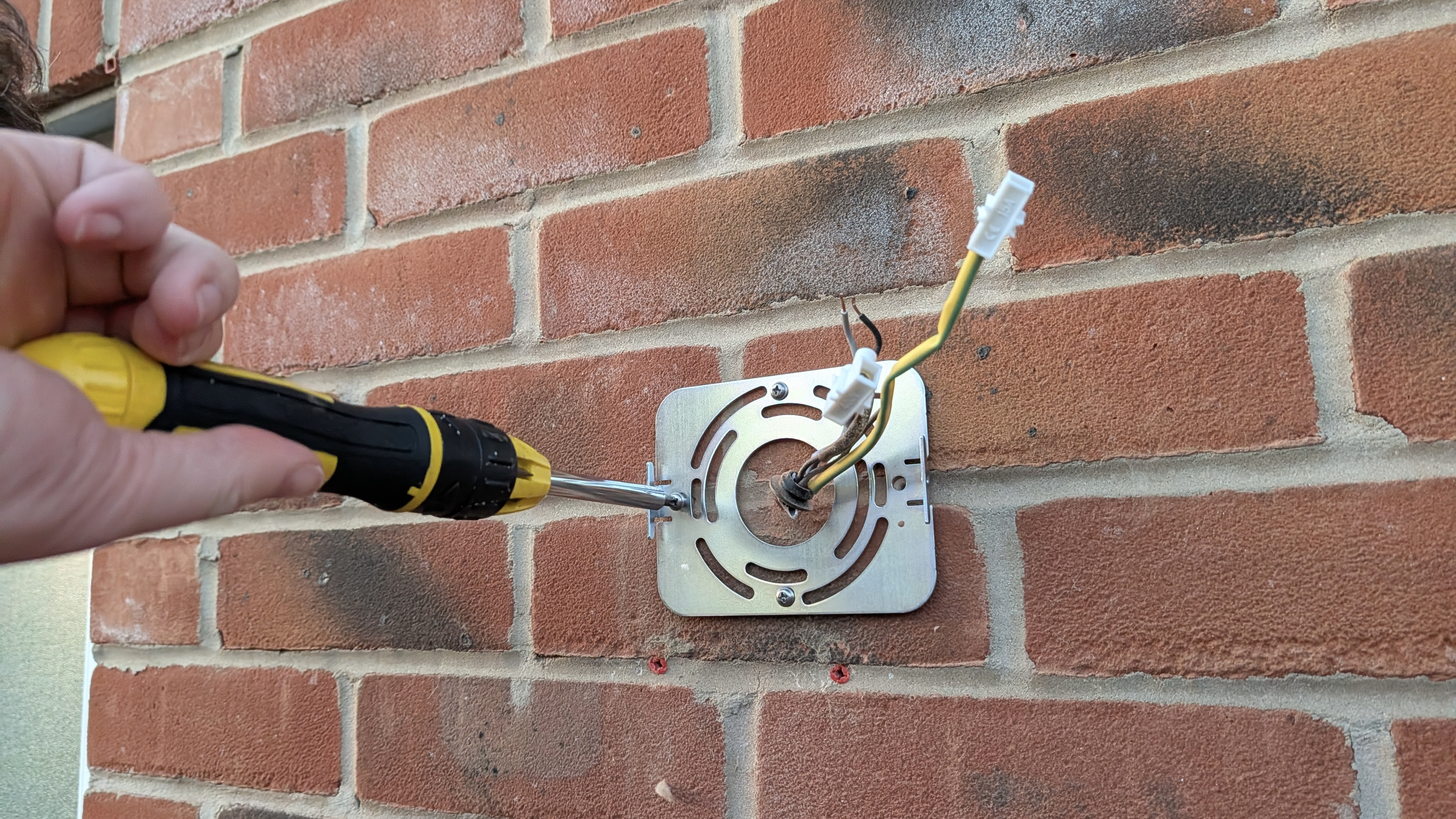
Once you have suitable power cables in place (and you’ve turned the electricity off), installation is very simple. The mounting plate for the lights requires four holes to be drilled into the wall, with four wall plugs and screws included in the box to secure it in place.
It's then a case of connecting the blue neutral and brown phase wires on the rear of the lights to the cables in the wall, using the terminal blocks included in the accessory kit.
For the neatest installation, you’ll also want the cables from the wall to go through the middle of the mount, which hides all wiring from view. If this isn’t possible, there’s a small plastic notch you can remove at the bottom of the rear cavity on the light to allow a wire to run down the wall.
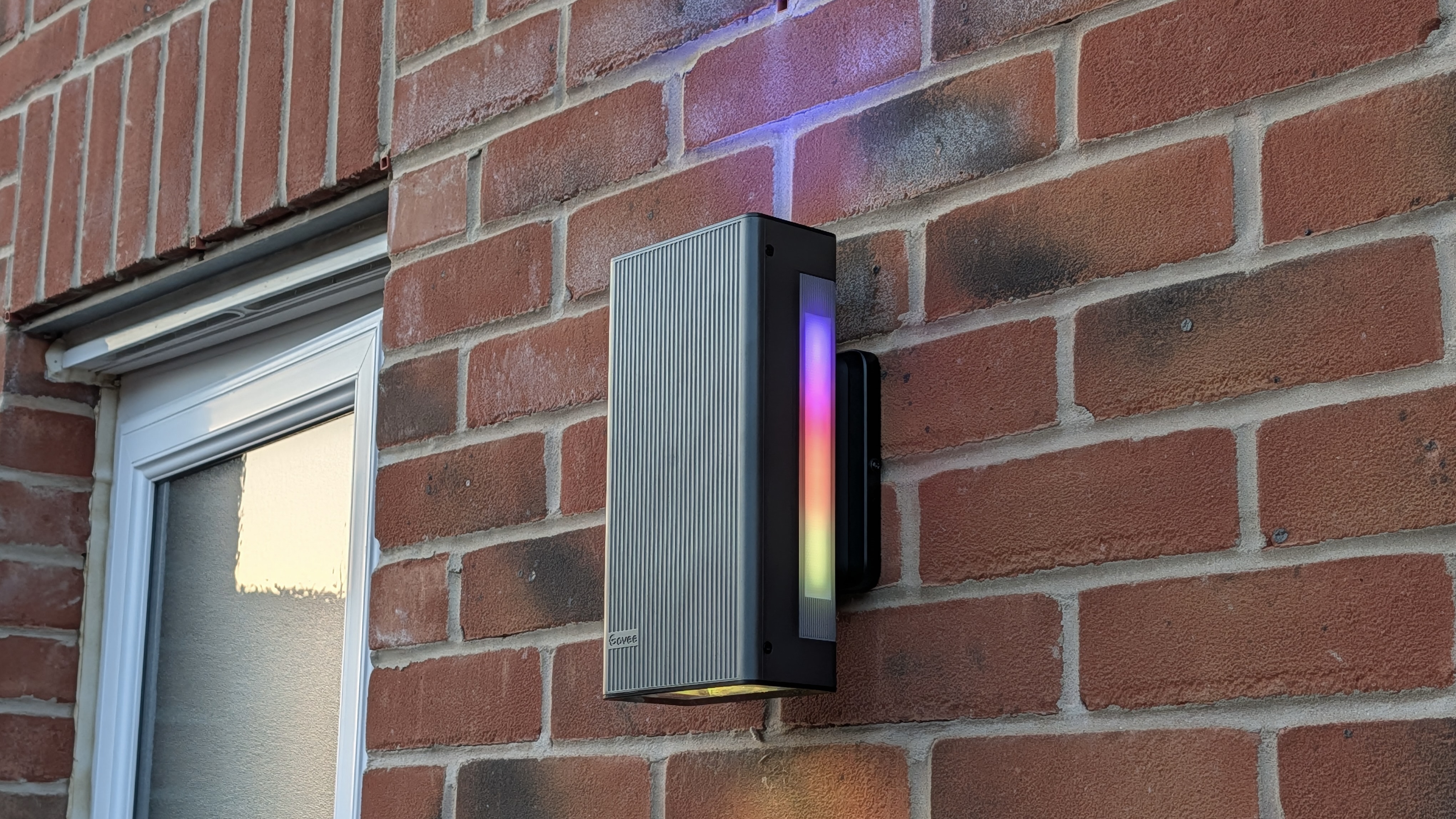
Finally, you slide the light over and down on the mount, locking it in place, and screwing the two together with a couple of small screws on either side of the light. I’m the first to admit I’m not particularly handy when it comes to DIY, but I found the process to be straightforward and easy to complete.
I then turned the power back on at the fuse board, and set up the light via the free Govee Home app (iPhone / Android). The app walks you through connecting the UpDown Wall Light to your home network, and prompting any software updates that might be available.
It typically takes less than a minute, and then you’re ready to start enjoying everything the Outdoor UpDown Wall Light has to offer.
Design and features
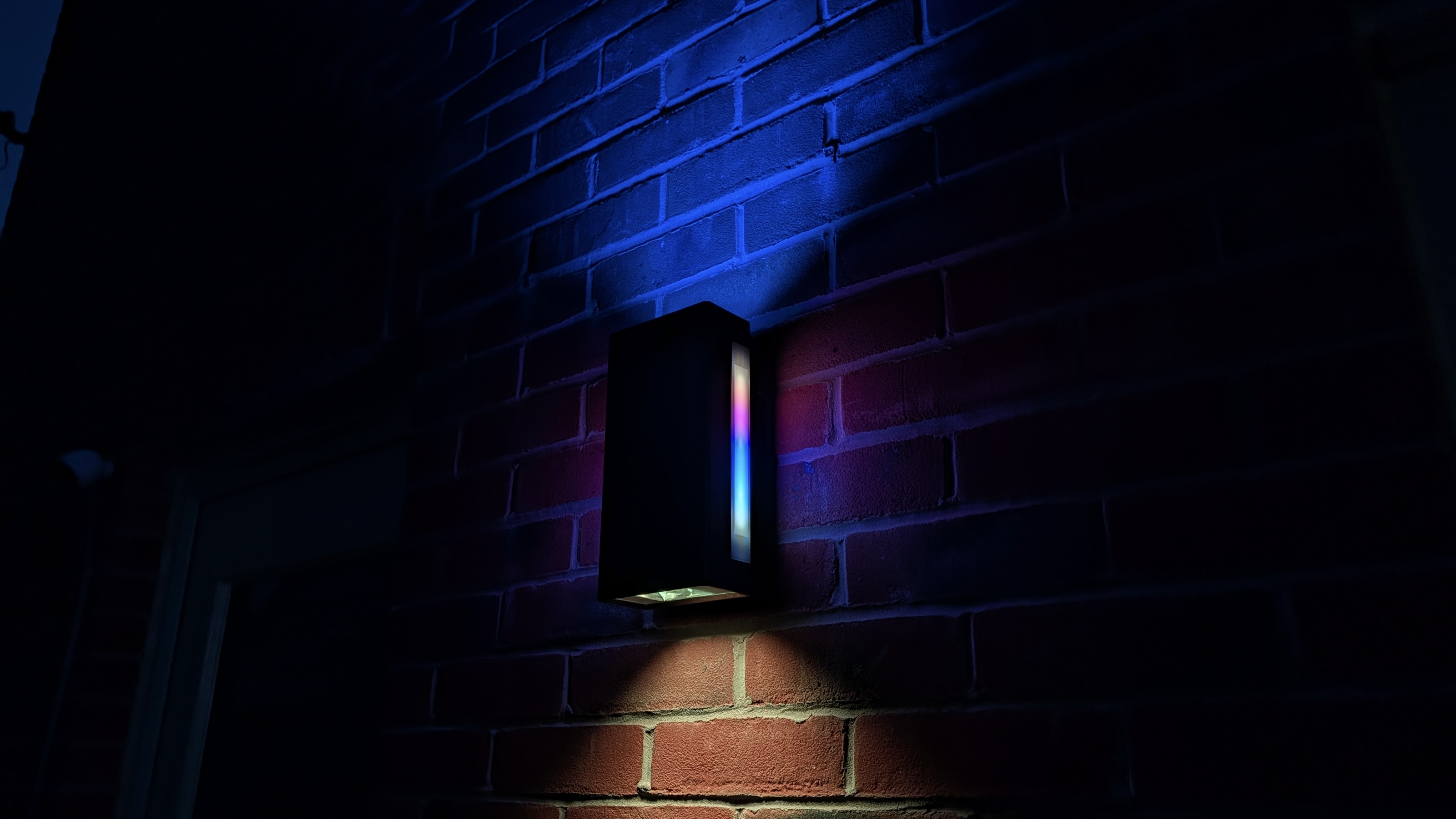
In terms of its design, the rectangular light looks almost as if it’s hovering off the wall from some angles. Its black facade hides the illuminating power inside, with lights on the top, bottom and both sides of the unit. It’s a modern looking light, and works well on my new-build property. It’s less likely to aesthetically fit with historic and period homes though.
At the top and bottom of the unit, you'll find RGBWW (Red, Green, Blue, White and Warm White) LEDs capable of changing both colour and white temperature. These lights use a reflector cup design, which helps project light further vertically and creates an enhanced wall-washing effect across areas of up to 12 square metres.
On each side of the light are 17 RGBIC (Red, Green, Blue with Independent Control) LED beads. Unlike traditional RGB lighting, each bead can be controlled individually, allowing different colours to be displayed simultaneously across the same fixture.
Combined with the top and bottom lighting zones, the UpDown Wall Light can create what Govee calls "four-side magic colour", providing dynamic 360-degree illumination around the entire unit.
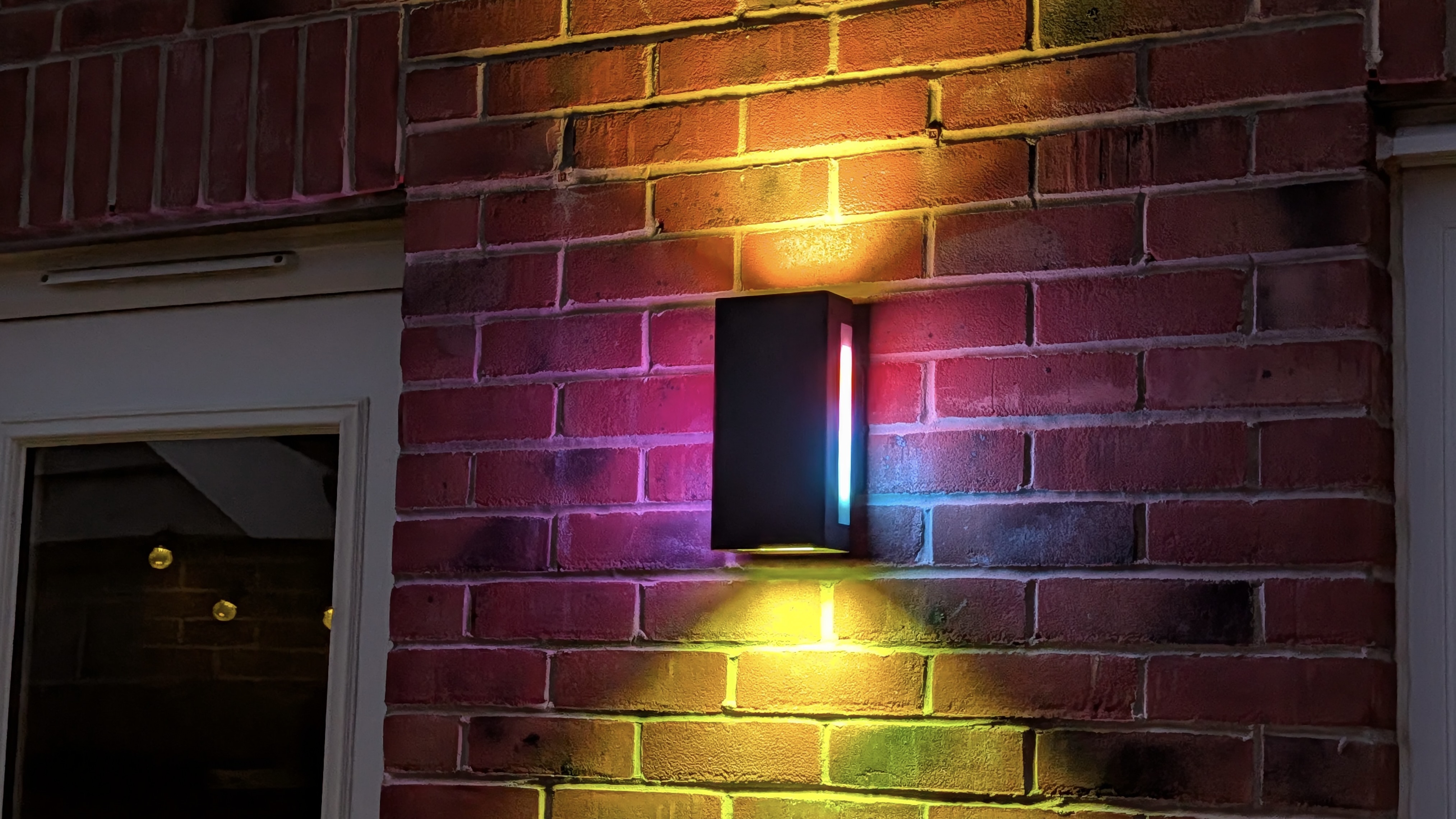
When it comes to the Govee Home app, there are more than 70 preset lighting scenes available, divided into categories including Natural, Life, Festival and Soothing. It can feel slightly overwhelming at first simply because there are so many options to choose from, but it means there's something for almost every occasion.
For those who prefer more control, the app allows you to adjust brightness up to 1,400 lumens, select custom colours and choose white temperatures between 2,700K and 6,500K. Quick-access colour presets make it easy to switch to simple shades such as white, yellow or blue, while the Subsection menu lets you customise individual sides of the fixture independently, including their brightness, colour and colour temperature.
When I was feeling really creative, I enjoyed the Finger Sketch feature. Here, you can manually assign colours to all 34 RGBIC side LEDs, as well as the top and bottom light zones. Once you've created a design, you can add animated effects such as twinkling or clockwise movement and adjust the speed of those effects to suit the mood.
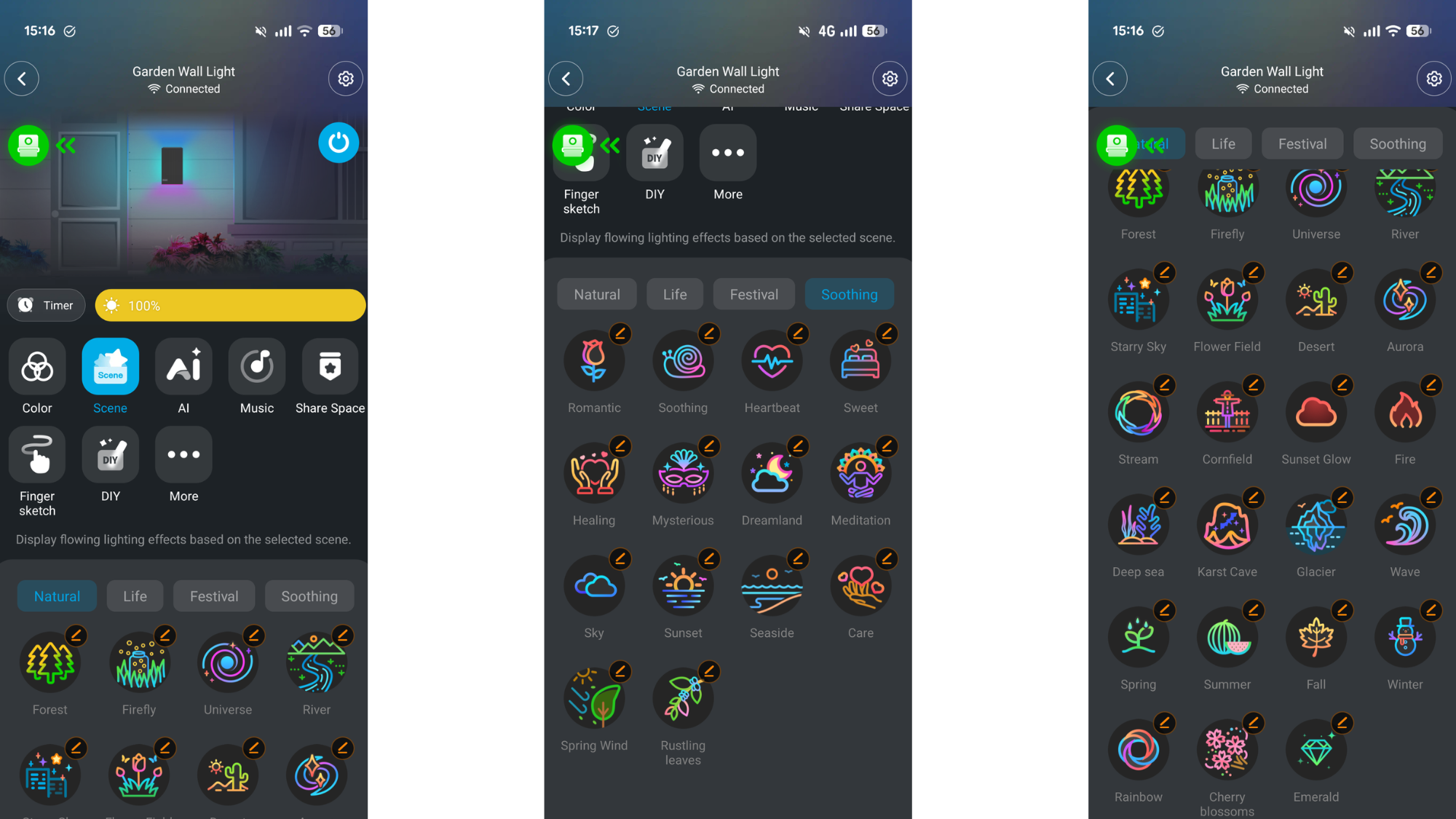
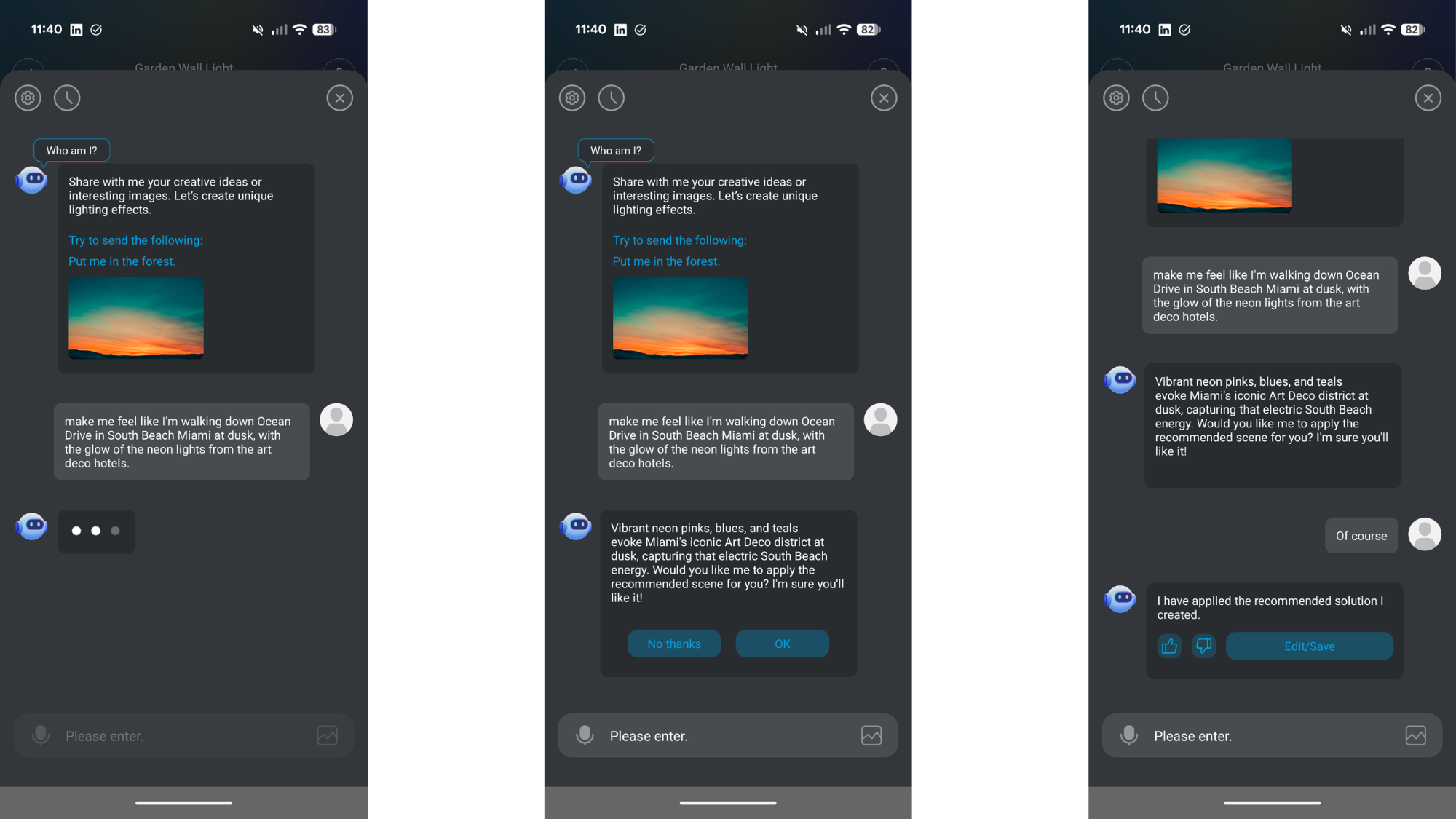
Govee has also included an AI-powered lighting mode within the app. Using a built-in chatbot, you can describe a scene and have the system generate a matching lighting effect. It's not as sophisticated as tools like ChatGPT or Gemini, but it worked surprisingly well during testing. For example, I asked it to recreate the neon glow of Miami's South Beach at dusk, and it generated a colourful neon-inspired lighting scene. This feels more of a gimmick rather than a useful feature – especially when you consider the sheer volume of presets Govee already has available – but it’s a nice addition for those wanting to flex their creativity further.
Elsewhere, the UpDown Wall Light is designed to withstand life outdoors. It carries an IP66 rating for dust and water resistance, which means it should cope well with heavy rain and challenging weather conditions. That said, Govee still recommends applying silicone sealant between the mounting plate and the wall during installation to help prevent moisture from reaching the wiring behind the fixture.
Smart home support is also included. Once linked to Google Assistant or Amazon Alexa through the Govee app, the lights can be controlled with voice commands. I connected the lights to Google Home without issue, which allowed me to turn them on and off, adjust brightness levels and switch between block colours directly from the Google Home app or with voice commands.
For example, I could simply ask Google to "turn on the garden wall light", "dim the drive wall light to 50%" or "change the garden wall light to blue", and the commands were executed without issue.
There's also support for Govee's optional Outdoor Motion Sensor, which can add motion-activated lighting functionality. Unfortunately, I wasn't provided with the sensor during testing, so I wasn't able to evaluate how well this feature performs in practice.
Performance
In day-to-day use, the UpDown Wall Light delivers exactly what it promises. I found the RGBWW LEDs provided excellent wall-washing effects, while the independently controllable RGBIC side LEDs create striking patterns and colour combinations that stand out far more than standard outdoor wall lights. At maximum brightness, the 1,400-lumen output provides more than enough illumination while still being capable of creating softer ambient lighting when dimmed down.
What impressed me most was the sheer level of control available. Whether I wanted a simple warm white glow for everyday use or a colourful animated display for an evening gathering, the app made it easy to switch between styles. Despite the huge number of options available, the interface remained relatively intuitive once I'd spent a little time exploring it.
The scheduling features also worked well during testing. I set routines for the lights to automatically switch on in the evening and turn off in the morning, providing useful overnight security lighting without any manual input.
One feature I enjoyed, but ultimately found slightly frustrating, was Music Mode. When activated through the Govee app, the lights react to music and pulse in time with the beat. It worked particularly well with tracks such as Metallica's Enter Sandman and Master of Puppets, creating an impressive visual effect.
The problem is that Music Mode only works while the Govee app remains open. As soon as you close the app, switch to another application or simply allow your phone screen to lock, the effect stops. It feels like a missed opportunity, as the feature would be far more useful if it could continue running in the background while you use your phone normally.
Verdict
The Govee Outdoor UpDown Wall Light offers a unique proposition that no other brand currently does. If you’re after modern wall lights with great versatility and 360 degree illumination, look no further.
I really like the range of modes and options available in the app, the ability to seamlessly integrate it with my smart home assistant, and (if you have existing wiring in place) the easy installation.
Sure, the AI feels gimmicky and the music mode could do with an upgrade, and it’s rather frustrating you can’t buy a single UpDown if you want an odd number of lights. However, these don’t detract from the fact the Govee Outdoor UpDown Wall Light delivers fantastic exterior illumination that transforms your outdoor space.
Alternatives to consider
There are plenty of smart outdoor wall lights on the market, but none offer the versatility and lighting sequences of Govee’s Outdoor UpDown Wall Light – putting them in a unique position with no direct rivals.
Philips Hue, another leader in smart lighting, has a range of wall lights, such as the Resonate Outdoor wall light and Dymera indoor and outdoor wall light. While both of these offer the ability to have different colours on their up and down lights, there are no side lights for that 360 degree splash of illumination. They’ll also cost you more than the Govee if you want two of them.
Nanoleaf doesn’t, at time of writing, have wall lights in its outdoor line-up, while the folks over at Wiz have a couple of basic offerings in the Wall Light ELPAS and Wall Light Classic.