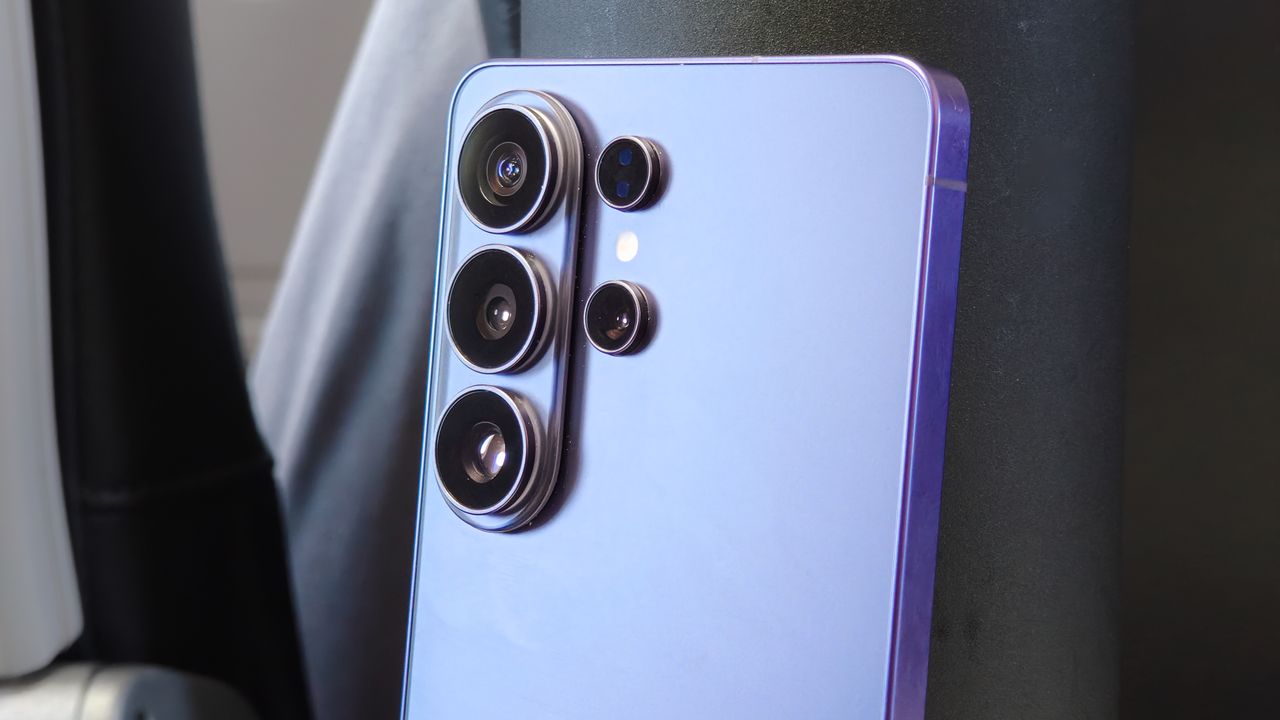
Samsung's 2026 flagship is a camera upgrade and downgrade on paper, with faster lenses but a smaller 3x sensor and a few other less obvious drawbacks compared to the S25 Ultra. Alongside the iPhone 17 Pro and Pixel 10 Pro, though, it's still a powerful player packing impressive specs and plenty of shooting modes. Set against the best from Oppo, Vivo, and Xiaomi, though, the camera struggles to stand out. But can features like Privacy Display and the new AirDrop support help it shine? Actually, yes.
Starting with the camera, the most notable changes in the S26 Ultra’s specs are an aperture upgrade for the primary 200MP camera, which now has a faster f/1.4 lens (down from f/1.7), and the 5x periscope telephoto. There’s also an on-paper downgrade: the 3x bridge camera between the primary and periscope has a smaller, albeit newer, sensor, and both the primary and 5x cameras don't focus as near as the S25 Ultra, so it's generally much weaker for macro photography.
With the latest Snapdragon for Galaxy power, an excellent new feature – Privacy Display – which keeps prying eyes at bay, the most seamless AirDrop support we've ever seen on an Android phone, faster charging and plenty of smarts under the hood, though, the S26 Ultra could still be an excellent smartphone even if it isn't the best camera phone around.
Galaxy S26 Ultra design and screen
The Galaxy S26 Ultra feels immediately familiar, but Samsung has softened the harder edges of the S25 Ultra, giving the phone a slightly gentler, more cohesive look. It still feels every bit the flagship, with premium materials, matte-finished sides and an integrated S Pen that remains a genuine differentiator. The small hardware tweaks are modest rather than transformational, and anyone upgrading from a Galaxy S25 Ultra or even an S24 Ultra should feel right at home.
The S26 Ultra is 7.9mm thick and weighs 214g, which makes it 0.85mm thinner and 17g lighter than the iPhone 17 Pro Max, despite the fact both phones feature 6.9-inch displays. Samsung’s panel is excellent: a 6.9-inch Dynamic AMOLED 2X running at 3120 x 1440 with a peak brightness of 2,600 nits and a pixel density of roughly 498ppi. By comparison, Apple’s iPhone 17 Pro Max uses a 6.9-inch OLED at 2868 x 1320, 460ppi, and claims up to 3,000 nits outdoors. The real standout, though, is Samsung’s new Privacy Display, a hardware-based system that dynamically controls wide and narrow pixels to reduce off-angle visibility in public spaces. This works exactly as advertised and can be set to specific apps, making it a true point of differentiation.
One caveat for photographers is the rear camera layout. While there's no MagSafe or Qi2 built into the phone, the large camera array can still make cases that add the feature incompatible with wallet-style accessories and many MagSafe chargers and mounting accessories. Even so, between the excellent display, slim build and genuinely useful Privacy Display, the S26 Ultra remains a strong design package.
Galaxy S26 Ultra camera specs
Samsung’s quad-camera formula has held strong since the S23 Ultra, with an ultra-wide, primary, 3x, and periscope camera.
The S26 Ultra’s primary camera is a 200MP 1/1.3-inch sensor, the same physical size as the iPhone 17 Pro Max’s main sensor. But with its faster f/1.4 lens, it captures a shallower depth of field and should do a fine job in low light, even if it can’t match the 1-inch sensor size of the new Xiaomi 17 Ultra.
The ultra-wide camera is a 1/2.52-inch sensor and f/1.9 combo, a solid spec for an often-neglected element in the smartphone camera mix. It’s also very wide at 13mm equivalent, so it captures plenty of detail, and the 50MP resolution means it can benefit from pixel binning to capture native 8K content.
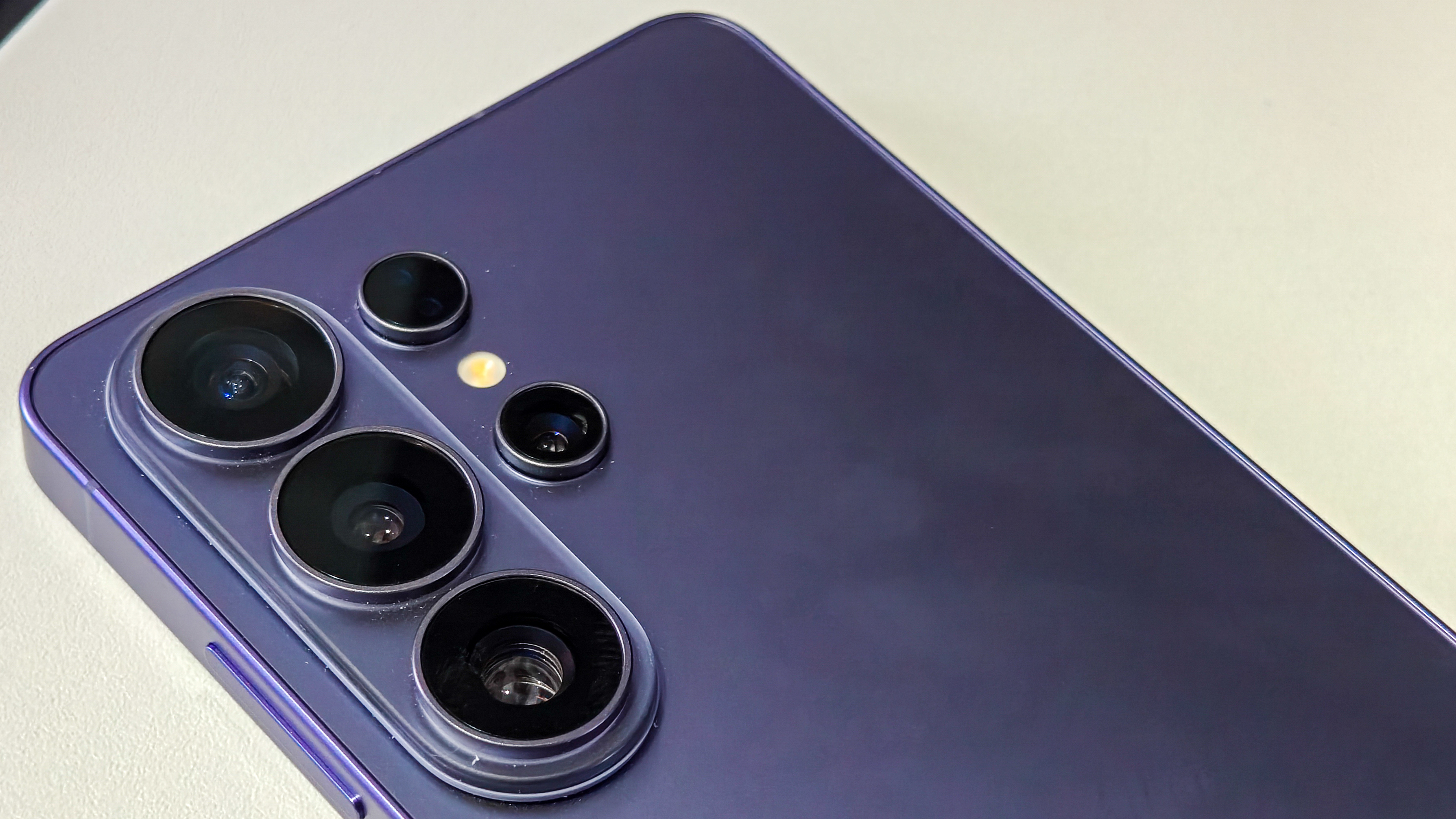
The 10MP 3x camera remains a weak point. Because it uses a small 4:3 sensor, it lacks sufficient native 16:9 resolution for full-detail 4K capture, which shows up as softer results, especially in low light. This year, Samsung has actually shrunk the sensor, dropping the pixel size from 1.12 microns to 1 micron, resulting in a tiny 1/3.94-inch size. It is a newer sensor, so it could still offer improvements, but its spec is still an across-the-board head-scratcher, especially when set against the improvements to the other cameras and what else is on the market from Honor, OPPO, Vivo, and Xiaomi.
Finally, the 5x periscope camera with a 115mm equivalent focal length combines a faster f/2.9 lens with the same 1/2.52-inch sensor as the S25 Ultra, which should help in low light, when capturing moving subjects, and compensate a little for hand shake.
All things considered, the hardware mix isn’t necessarily exciting, but it’s still competitive with Apple and Google, Samsung’s main competition in the West.
Processing, AI, and camera software
Samsung loads up the S26 Ultra with its latest computational photography smarts, but at a base level, its photo processing remains very Samsung. Colors are handled with the same characteristic boosting, sharpening is aggressive in auto mode, and pinching in on shots reveals the mottling characteristic of Samsung’s specific brand of noise suppression.
Shooting modes – Standard + resolutions
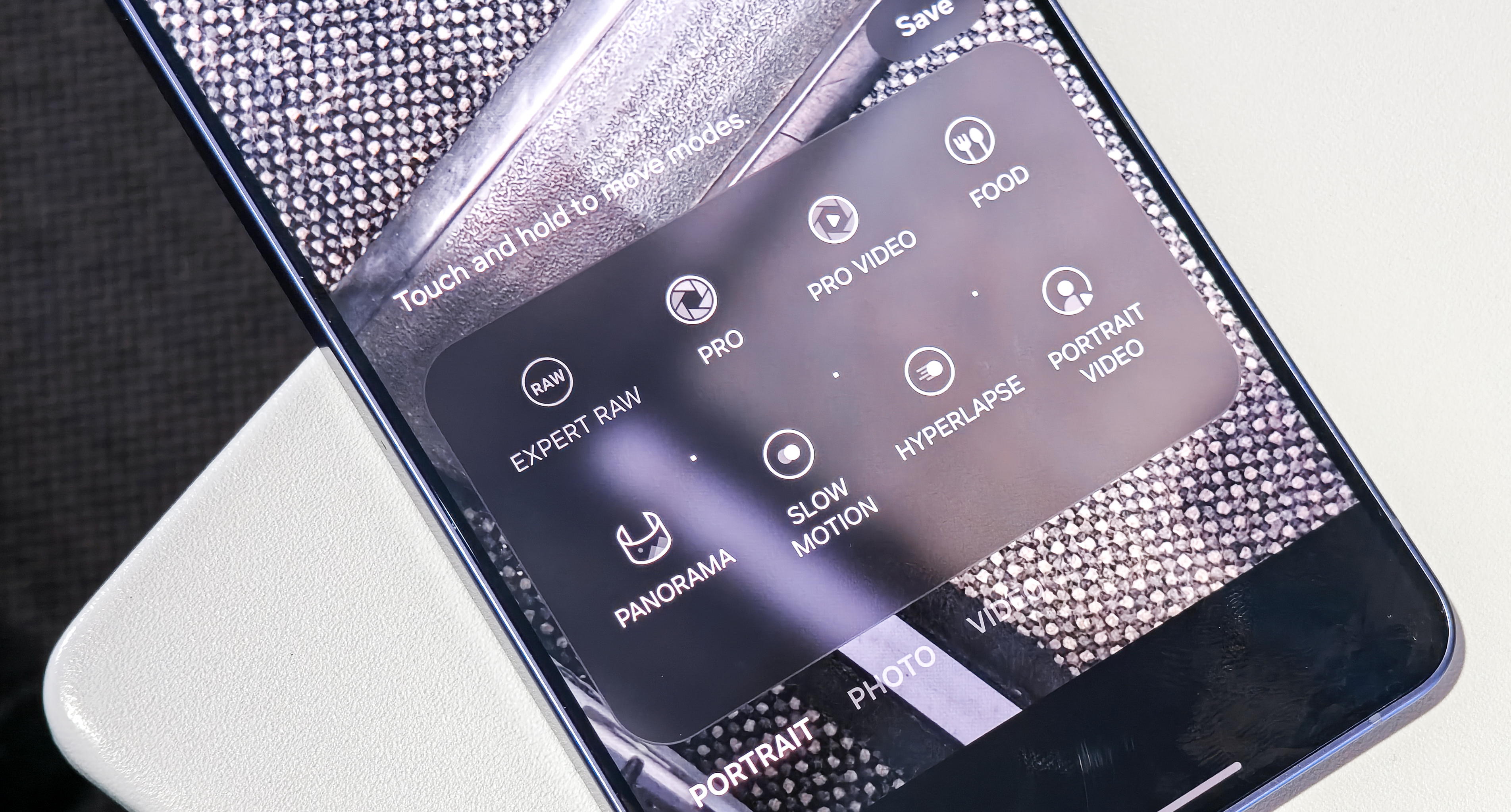
Shooting modes are mostly unchanged, with modes including Portrait, Photo, Video, Pro, Pro Video, Food, Panorama, Slow Motion, Hyperlapse, Portrait Video, and Expert RAW, which can be downloaded through the Galaxy Store. Photos are captured at 12MP by default, with a 200MP option available for the primary camera, and 50MP options for the ultra-wide and 5x cameras.
Expert RAW and Camera Assistant
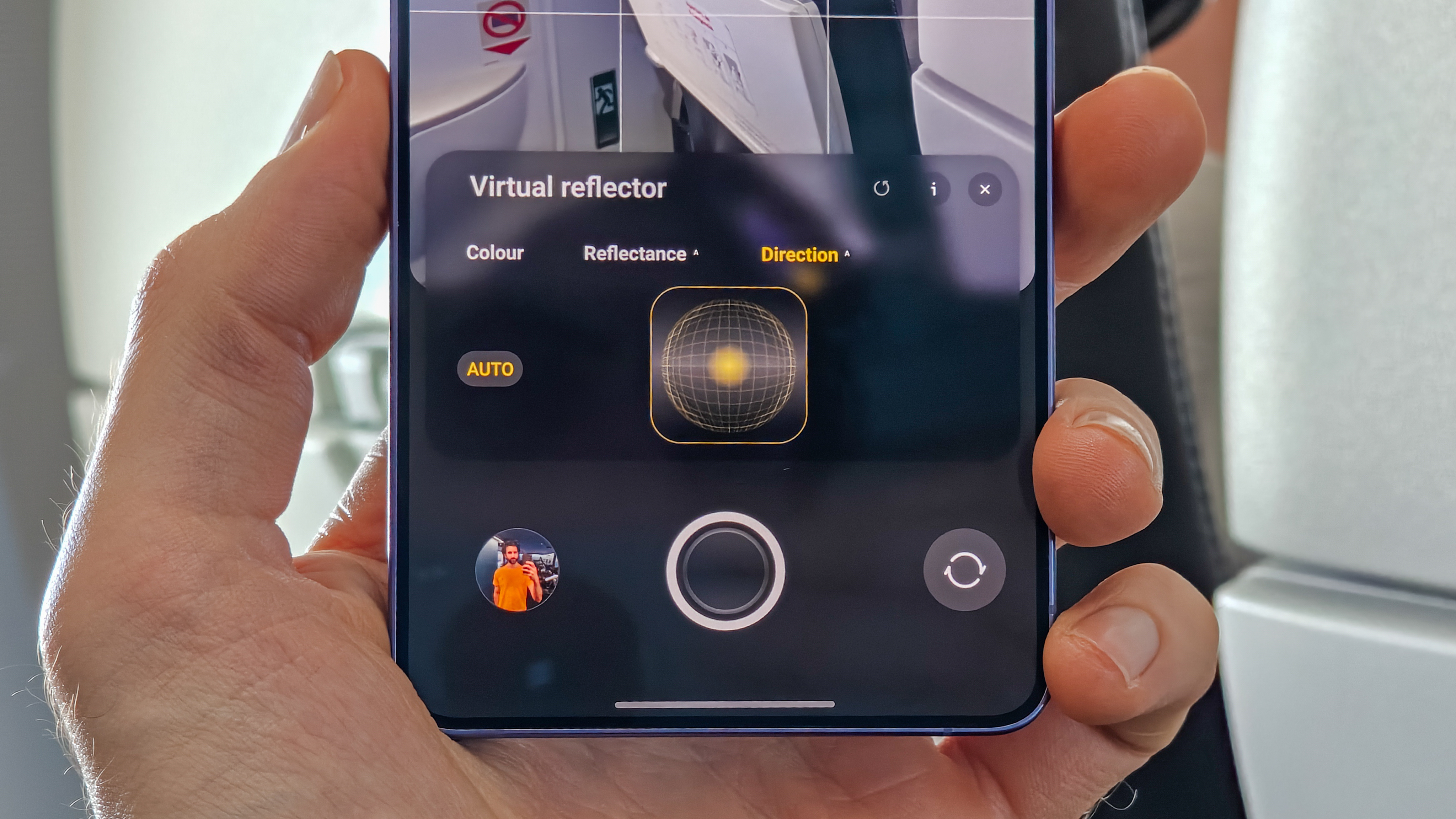
Expert RAW, Samsung’s downloadable bracketing RAW capture mode, gets an added feature for 2026: Virtual Reflector, which simulates a reflector to create more balanced exposure in shadows. This gives you a live preview and seems to work best with faces. It doesn’t work with the front camera, but it’s a novel on-device tool for RAW fans.
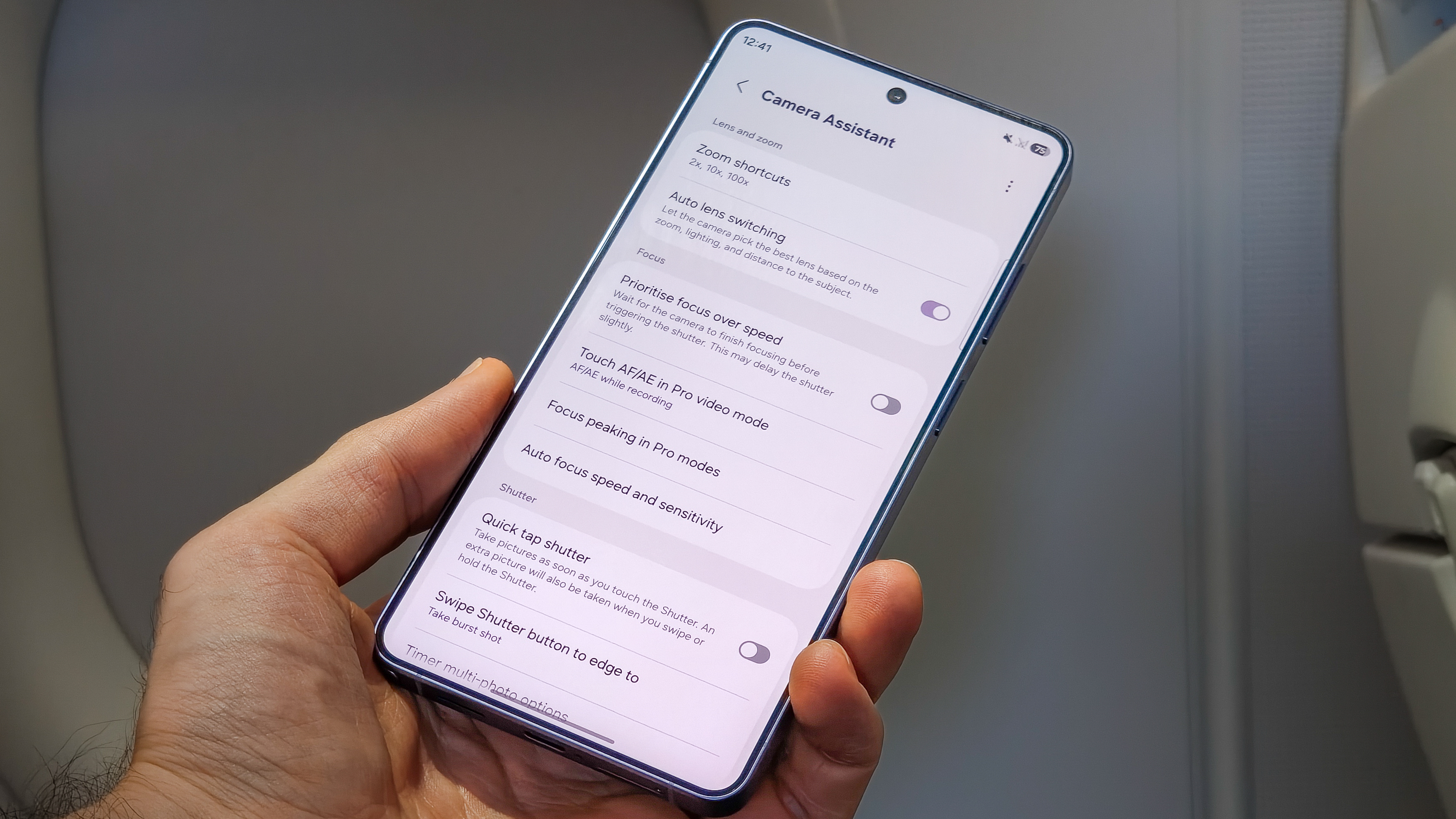
In addition to Expert RAW, you can download Camera Assistant through the Galaxy Store, and this is a must for photographers picking up the S26 Ultra. It's where you can customize which zoom shortcuts appear on-screen, turn off auto lens switching, and enable handy video tools like audio monitoring via Bluetooth headphones.
Shooting experience
Samsung’s camera UI is very flexible. You can rearrange and remove shooting modes that appear on-screen when you fire up the camera, and Quick Launch is on by default, so a double-tap of the power button quickly gets you into the camera.
The camera is really fast in bright light, so you can snap without waiting. Like with most phones, when the lights drop, computational photography extends the shutter speed, and a steady hand means you’ll get a much sharper shot. This is especially true of the 3x and selfie cameras, which have the smallest sensors and the slowest lenses.
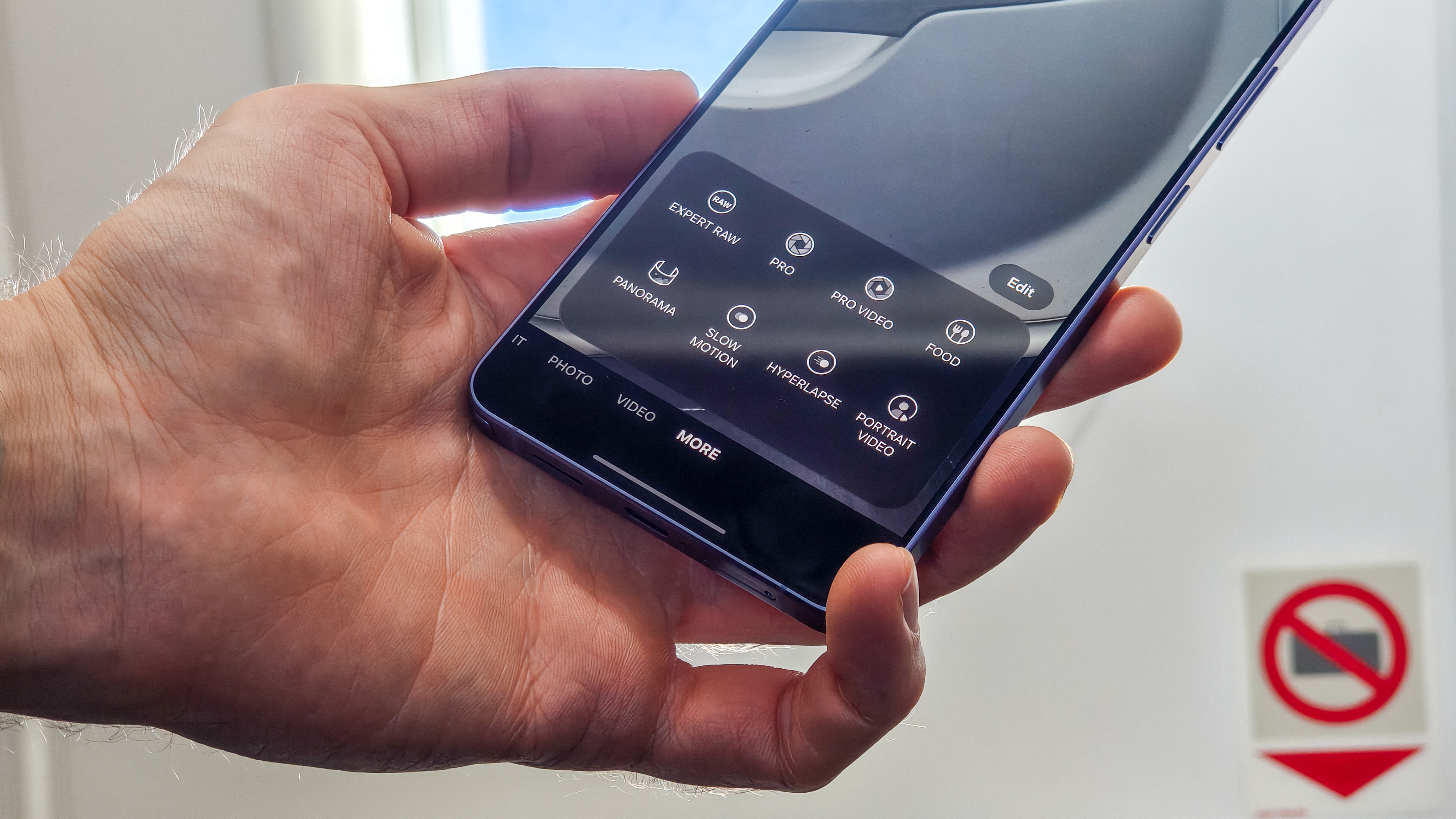
In auto mode, Samsung does have filters, but we would have really liked a Vivo or Xiaomi-style set of default shooting modes, like Zeiss Natural, which dials back punch and over-processing a bit while retaining the benefits of computational photography. In Pro mode, you can adjust contrast, saturation, and more, but in doing so, you sacrifice some of the dynamic range and processing benefits of auto mode.
On the plus side, the Pro photo and video modes are fully featured. And the addition of APV video on top of Log and Expert RAW means enthusiast photographers and videographers will have plenty to sink their teeth into.
Galaxy S26 Ultra photo quality
The good
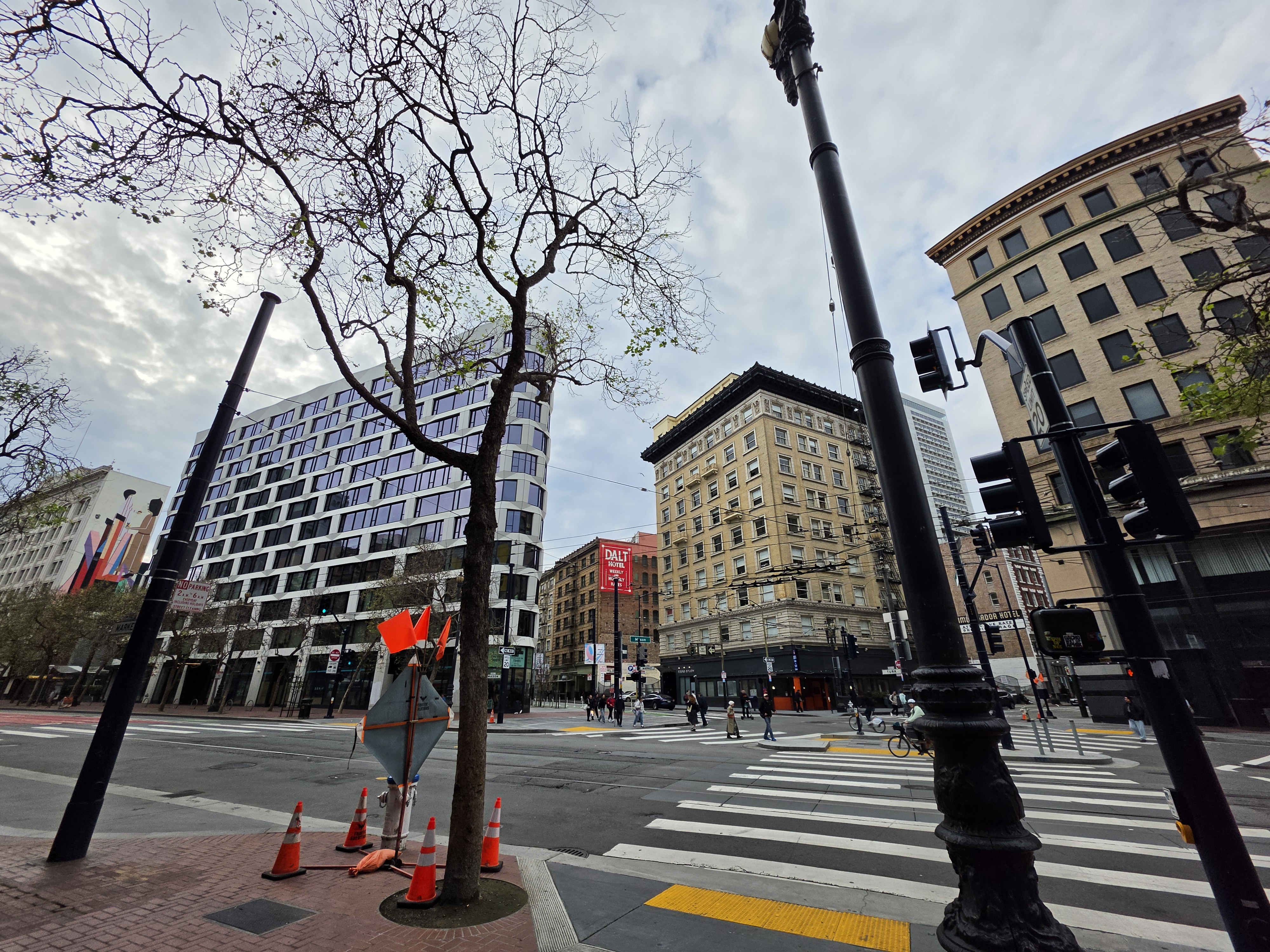
The S26 Ultra’s 200MP primary camera remains the star of the show, not because you’ll be shooting 200MP all day, but because it gives Samsung a ton of latitude to work with. In default 12MP mode, it’s reliably sharp across the frame, with enough micro-contrast to make textures pop without you having to fight focus or motion blur in decent light. It’s also one of those cameras you can lean on in almost any scenario: landscapes, food, quick street shots, indoor portraits. It rarely feels out of its depth, and when you do want to crop in, there’s still meaningful detail there, even if Samsung’s sharpening is excessive when you start pixel-peeping.
Night photography is also better than previous Ultras, and it’s one of those improvements you notice without having to go hunting for it. The S26 Ultra still brightens scenes aggressively, but it’s less heavy-handed with the sky. Older Galaxy phones often lifted night skies until they turned into a weird, muddy, overly saturated gradient, like the phone was allergic to true blacks. Here, Samsung seems more comfortable letting darkness look like darkness. You still get that Samsung punch, but it’s toned down just enough that night scenes feel cleaner and more believable, with fewer strange color shifts where street lighting meets the sky.

The ultra-wide is another solid shooter. Samsung’s f/1.9 lens paired with a 50MP sensor means it pulls in a lot more light than many ultra-wides, and that helps in exactly the situations where ultra-wides usually struggle: indoors, at dusk, and in mixed lighting. It also gives you a touch more subject separation than you’d expect at 13mm equivalent, which makes close-up shots feel less flat. And because it doubles as a macro camera, it’s versatile. Detail holds up well, focusing is quick, and it’s the kind of ultra-wide that won't totally distort your shots. That said, fans of expansive photos and videos should check out the Vivo X300 Ultra, featuring a best-in-class ultra-wide setup.
Samsung’s 5x periscope remains a strong option, especially if your comparison set is the iPhone and Pixel rather than the China-first camera champs. It isn’t best-in-class for raw detail or natural rendering, and if you’ve used the top Vivo or Xiaomi flagships, you’ll know Samsung still isn’t matching that level of finesse. But alongside the phones most people are realistically buying in the West, the 5x holds up well. I still prefer Apple’s slightly wider 4x focal length for general portrait and everyday tele work, but Samsung’s processing does a better job of keeping hand shake and noise under control when light drops, so you end up with more consistently usable shots.
One area the S26 Ultra compromises is macro photography, with the primary and 5x cameras doubling the nearest focus distance. This results in significantly weaker detail for close-up shots and, ultimately, a worse phone for fans of that specific type of photography.
Anyone considering an alternative that excels in this area should look to the Oppo Find X9 Pro and Vivo X300 Pro.
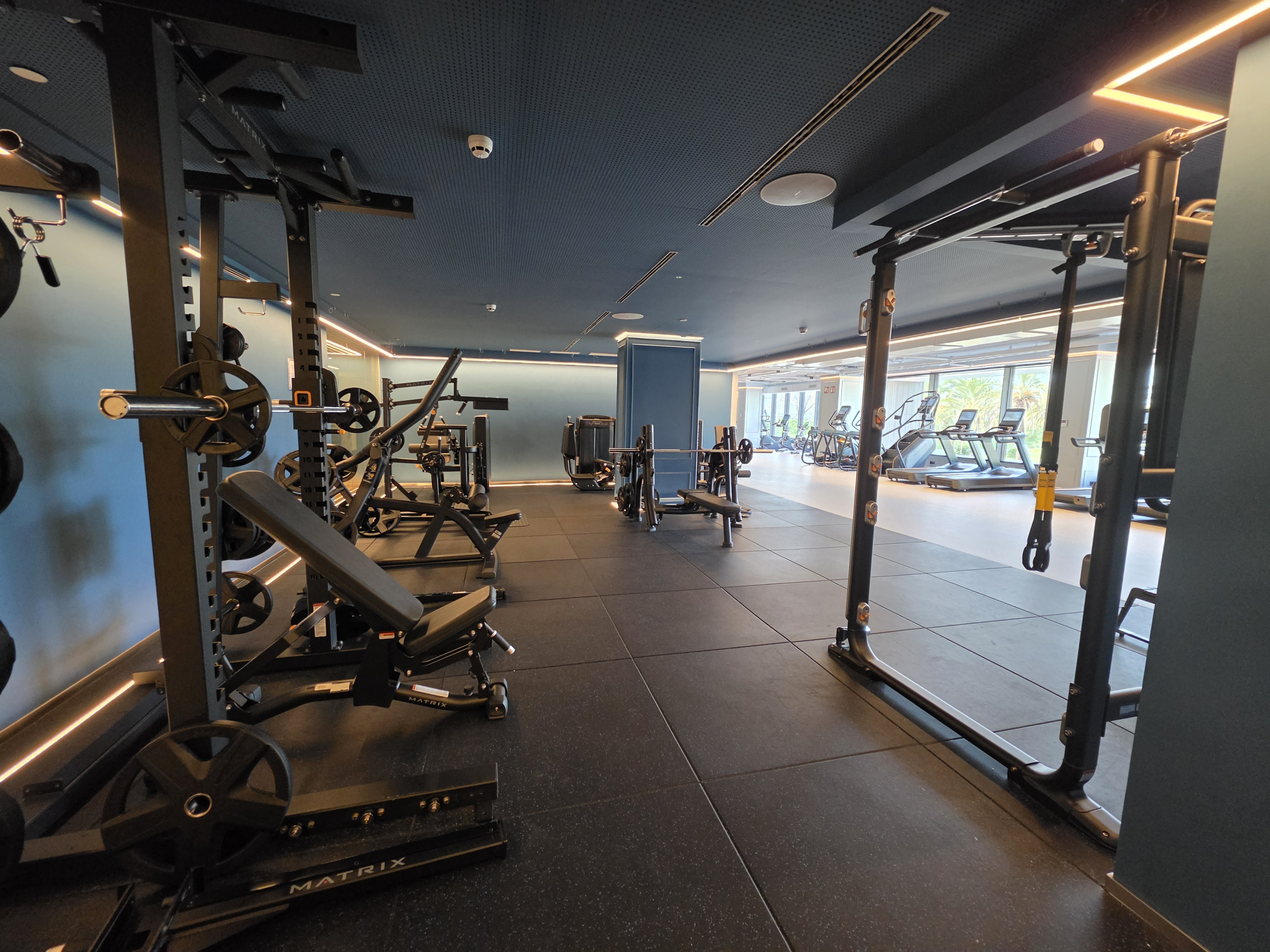
A subtle wins this year is how smoothly the S26 Ultra moves between cameras in photo mode. Switching focal lengths feels less like jumping between four different cameras and more like moving through a single system. Exposure and white balance still aren’t perfectly matched in every situation, but the transition itself is fast and fluid, and that matters when you’re shooting quickly and don’t want the phone to feel like it’s catching up to you.
HDR is also generally handled well, especially with backlit subjects. The S26 Ultra is happy to lift shadows, but it doesn’t always turn the scene into that over-processed HDR look where everything is equally bright and equally flat. Backlit faces tend to be protected well, highlights are usually controlled, and the end result is often pleasing rather than obviously “fixed.” It’s not the most natural HDR style on the market and can pull up ghosting with moving subjects, but it’s typically one that works, and it keeps the camera feeling dependable in tricky lighting.
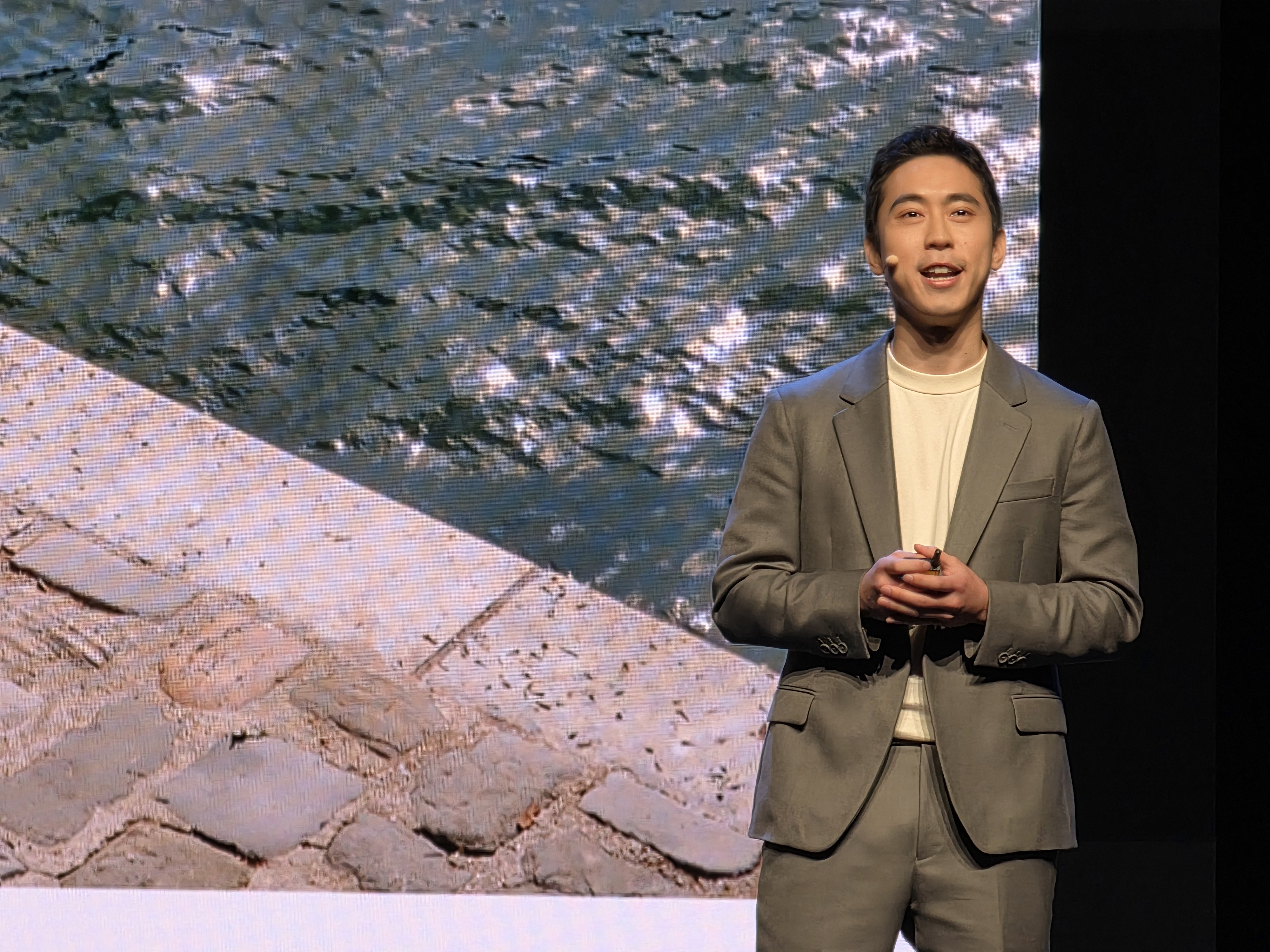
Samsung’s AI processing improvements are mostly incremental, but they do add up in day-to-day use, especially when zooming in. The phone feels a little better at resolving fine detail without turning everything into a crunchy mess, and it’s slightly more controlled about how it cleans up noise in darker scenes. You can still spot Samsung’s heavy processing when you zoom in, but the straight-out-of-the-camera success is higher than it used to be.
The selfie camera has been leveled up by software. Skin tones are still warm, mostly flattering, and very Samsung, but they’re less hit-or-miss, especially under indoor lighting.
The bad
Color is the S26 Ultra’s biggest weakness. Skin saturation is pushed hard and regularly swings too far into red, especially indoors and in mixed lighting. It’s a very Samsung look, but it isn’t subtle, and it can make people shots feel more stylized than lifelike.
Color accuracy also varies between cameras, and it’s most obvious once light drops. Jump from the primary to the ultra-wide or telephoto and you can see shifts in white balance and overall tone, so a scene that looks neutral on one lens can look warmer or more saturated on another. It doesn’t always ruin a shot, but it chips away at the “pro” feel when you’re shooting across focal lengths.
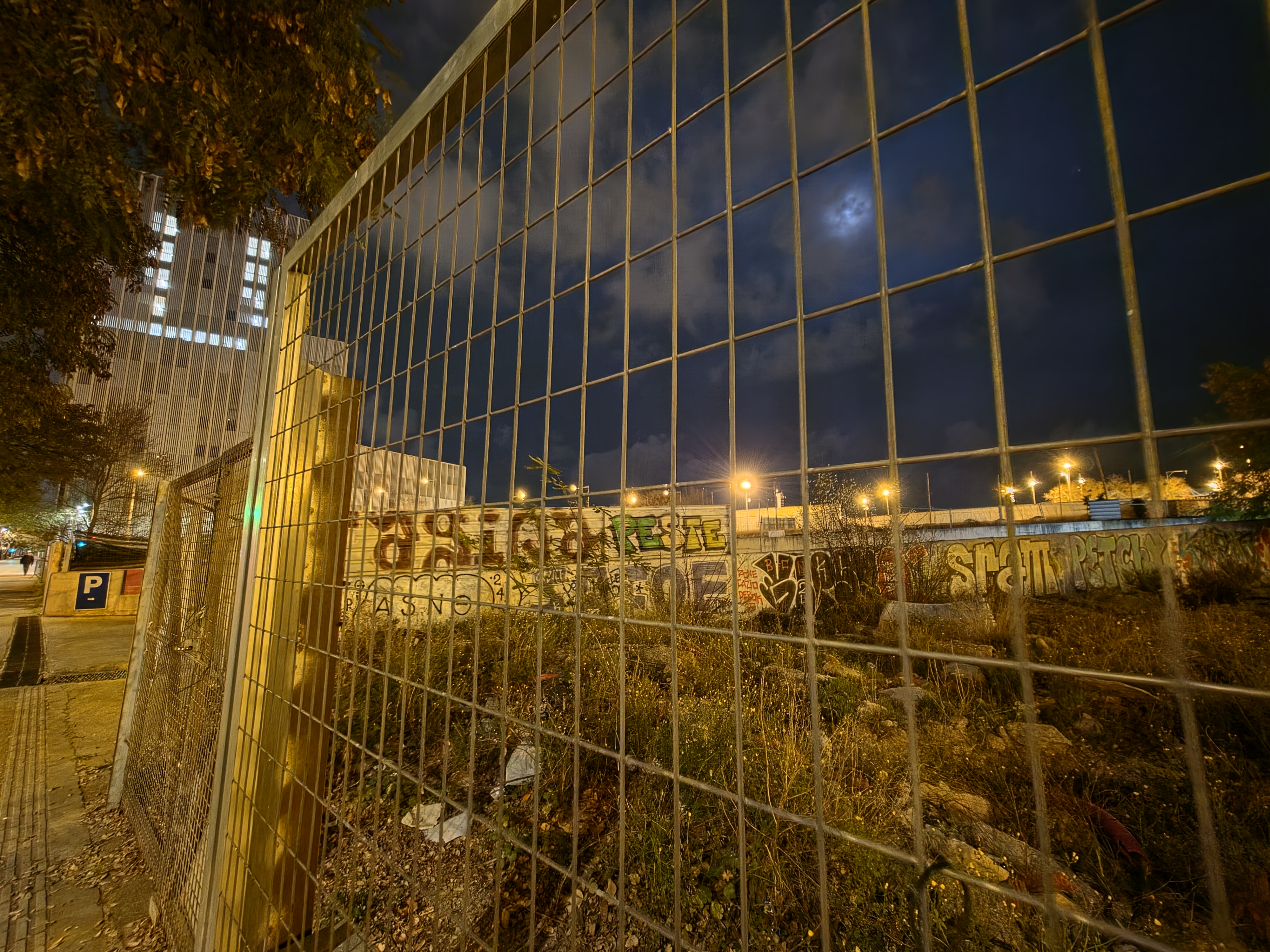
Noise reduction is another recurring issue. Samsung cleans up grain so aggressively that it creates a mottled texture, particularly in shadows and night scenes. At a glance, it looks tidy, but as soon as you crop in, fine detail gets smeared and then sharpened back up, which leaves images looking a little synthetic.
That processing pipeline ties into the phone’s default warmth. The S26 Ultra often prioritizes a warm, punchy look over realism, which can be flattering in some scenes, but it also means neutrals drift and skin tones get an extra push toward orange-red.
Bright light sources can also bloom and bleed at night, softening parts of the image and making high-contrast scenes look less clean than they should.
And then there’s the 3x camera, which remains the weak link by a wide margin. In anything but strong light, it produces softened images that are then over-sharpened, and the results don’t hold up to cropping. It’s usable, but it’s the least “Ultra” part of the whole setup.
While the 5x camera is mostly reliable, its nearest focus distance is frustratingly limiting. Unlike phones like the Honor Magic 8 Pro and Vivo X300 Pro, the S26 Ultra doesn’t support telemacro, so it won’t capture close-up shots with super-high-impact detail.

Finally, contrast is still dialed up too high in auto mode. It makes shots look bold on a phone screen, but it can crush subtle tones and exaggerate the already heavy saturation.
Samsung Galaxy S26 video quality
Video is where the S26 Ultra feels a bit more consistently “Ultra,” given it’s a weak area for all phones.
The big upgrade is night video. Samsung’s latest Nightography video processing makes a meaningful difference, pulling in more usable detail and keeping scenes cleaner than older Galaxy Ultras. It still can’t match the low-light video you’ll get from the 1-inch-sensor crowd like the Xiaomi 17 Ultra, but if you’re upgrading from a Samsung phone, you’ll notice the improvement.
In daylight, video is a strong point. Clips are smooth, detailed, and nicely impactful, especially when you’re shooting close-up subjects on the ultra-wide and primary cameras. Focus is mostly reliable, but it can get a bit fiddly when you’re moving between subjects, and the lack of telemacro on the 5x limits your creative options for close-up detail work.
All that said, the primary camera makes the S26 Ultra an excellent quick-capture and vlogging tool when you turn it around. Point it at anything when the light is right and 4K footage looks great, and in bright light, 8K is genuinely usable if you want the option to crop in later.
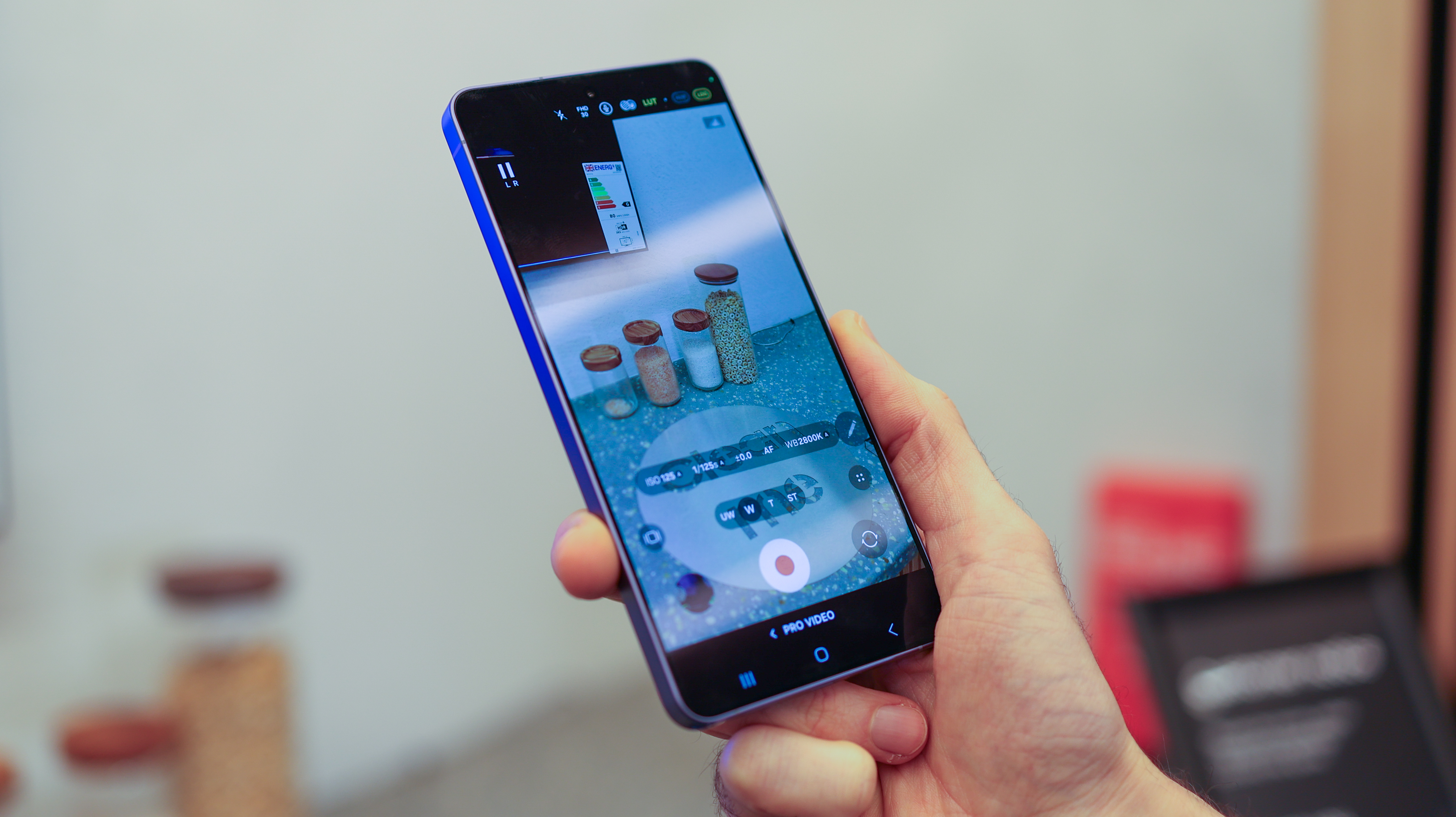
The pro features are also a real plus, but APV Log comes with a major caveat: file sizes are huge – around 2GB for a 10-second clip – which means you’ll want an external SSD like the Lexar ES5 if you plan to shoot in the codec. And a point to note when picking up a Lexar or SanDisk SSD: pairing it with a MagSafe-style case is a must so you can keep the drive attached as part of your workflow.
Galaxy S26 Ultra performance and battery
Performance is one of the Galaxy S26 Ultra’s clearest strengths. Powered by Qualcomm’s Snapdragon 8 Elite Gen 5 for Galaxy, the spec boost compared to the S25 Ultra translates well. Whether gaming, multitasking or exporting high-resolution video, the S26 Ultra feels fast, stable and unflustered. Samsung has also redesigned the vapour chamber and says it now spreads heat across a larger surface area for a 21% thermal improvement, which helps explain how well the phone sustains performance under load. In testing, it also handled APV clips relatively swiftly, and that is a lot of data to move around on a phone.
The Galaxy S26 Ultra comes in 256GB and 512GB versions with 12GB of RAM, while the 1TB model steps up to 16GB. That compares reasonably well with the iPhone 17 Pro Max, which offers 256GB, 512GB, 1TB and 2TB capacities. Future-proofing is also a strong point: the S26 Ultra ships with Android 16 and One UI 8.5, and Samsung promises seven generations of OS upgrades alongside seven years of security updates.
Software adds value too. Galaxy AI and One UI remain useful, but the bigger win is Samsung’s new AirDrop support inside Quick Share, which rolled out at the end of March 2026. Transfer speeds still do not quite match Apple-to-Apple for very large files, but the integration is impressively frictionless.
The S26 Ultra's battery life is solid rather than class-leading: the 5,000mAh cell is good for a full day of moderate use, and Samsung claims up to 31 hours of video playback. Charging is stronger, with Super Fast Charging 3.0 rated for up to 75% in around 30 minutes, and Samsung’s own charger guidance confirms USB PD/PPS support, so you aren't locked into a proprietary ecosystem.
So is the S26 Ultra's camera really "Ultra"?
After six weeks with the Galaxy S26 Ultra, it is clear Samsung has built one of the most complete flagship phones of the year. Its excellent Privacy Display is a genuine point of difference, the software support is class-leading, performance is consistently strong, and the new Quick Share support for AirDrop makes it one of the most seamless cross-ecosystem Android phones yet. Add in a premium design, long-term software support and faster charging, and the S26 Ultra feels thoroughly future-proofed.
For photographers and videographers, there is still plenty to like. Samsung continues to offer one of the richest pro-grade camera experiences on any mainstream phone, with deep manual controls, advanced shooting modes, and enthusiast-friendly codecs, including Log, Expert RAW, and APV. Video is also a strength from the main camera in particular, especially with the improvements to Nightography.
The problem is that the camera hardware doesn't stand out. The main and ultra-wide cameras are dependable, and the 5x telephoto remains competitive against Apple and Google, but the weaker 3x camera and the loss of close-focus flexibility on the primary and 5x modules hold the system back. Samsung’s processing also leans too heavily on saturation, contrast, and noise reduction.
As a result, the Galaxy S26 Ultra is not the best camera phone you can buy, especially when Oppo and Vivo are currently delivering more impressive pure photo quality. But it may still be the best Android flagship overall for buyers who want a brilliant screen, outstanding software longevity, polished performance and a camera system that is versatile, ambitious and very capable.