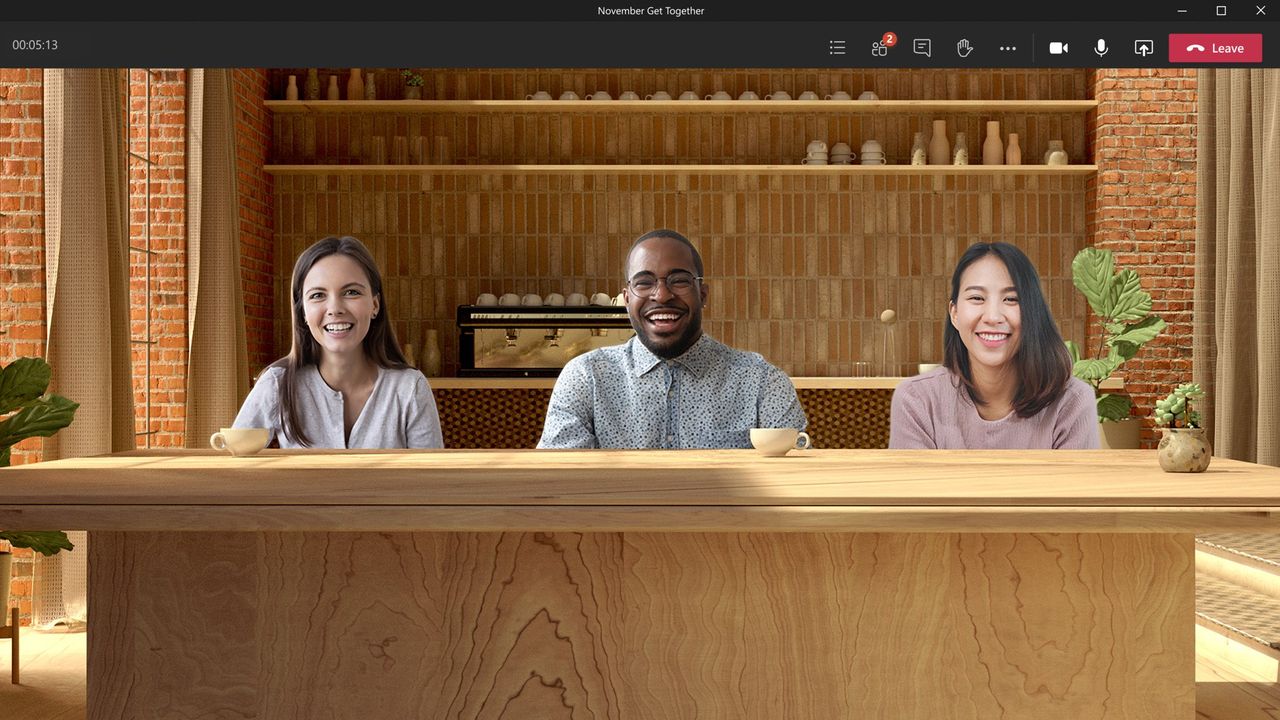
“Together again, again.” Kermit’s line from Muppets Most Wanted lands differently after Microsoft’s latest Teams announcement.
Teams Together mode is being retired next month. Meeting attendees will instead have to rely on a scalable gallery view or meeting in person. Following the change that will take place on June 30, Teams users will still be able to be together, just not in Together mode.
Microsoft introduced Together mode in 2020, when remote work made meetings feel flat and disconnected. Putting everyone in a shared virtual space was meant to make meetings feel more natural and help people connect.
Six years later, the landscape is different. Many companies have pushed people back into offices. Teams has also added new features, such as an expanded gallery view, that make Together mode a bit redundant.
Microsoft explained in a blog post that it is getting rid of Together mode to simplify the meeting experience and allow engineers to focus on improvements that help all types of Teams meetings.
Custom scenes and seat assignments will disappear alongside Together mode. Organizations will have to rely on branded backgrounds instead.
Microsoft notes that having so many options for meetings can increase the cognitive load for users and fragment the experience across devices.
A simplified meeting interface should reduce clicks, make meetings run smoother, and lead to faster innovation, according to Microsoft.
If you want to mimic parts of Together mode, Microsoft suggests pinning speakers, spotlighting presenters, and using multiple displays.
I get why Together mode is going away. If I had to choose between buggy meetings with poor performance and my colleagues sitting together in a virtual auditorium, I'd pick the former. But I will miss Together mode. It came out at a time when social interaction was strained and did its best to bridge the gap.
Microsoft even had some fun with Together mode by releasing holiday themes for the feature in 2020. We can still wear ugly sweaters this year. We just won’t be sitting in the same virtual room.

Join us on Reddit at r/WindowsCentral to share your insights and discuss our latest news, reviews, and more.