
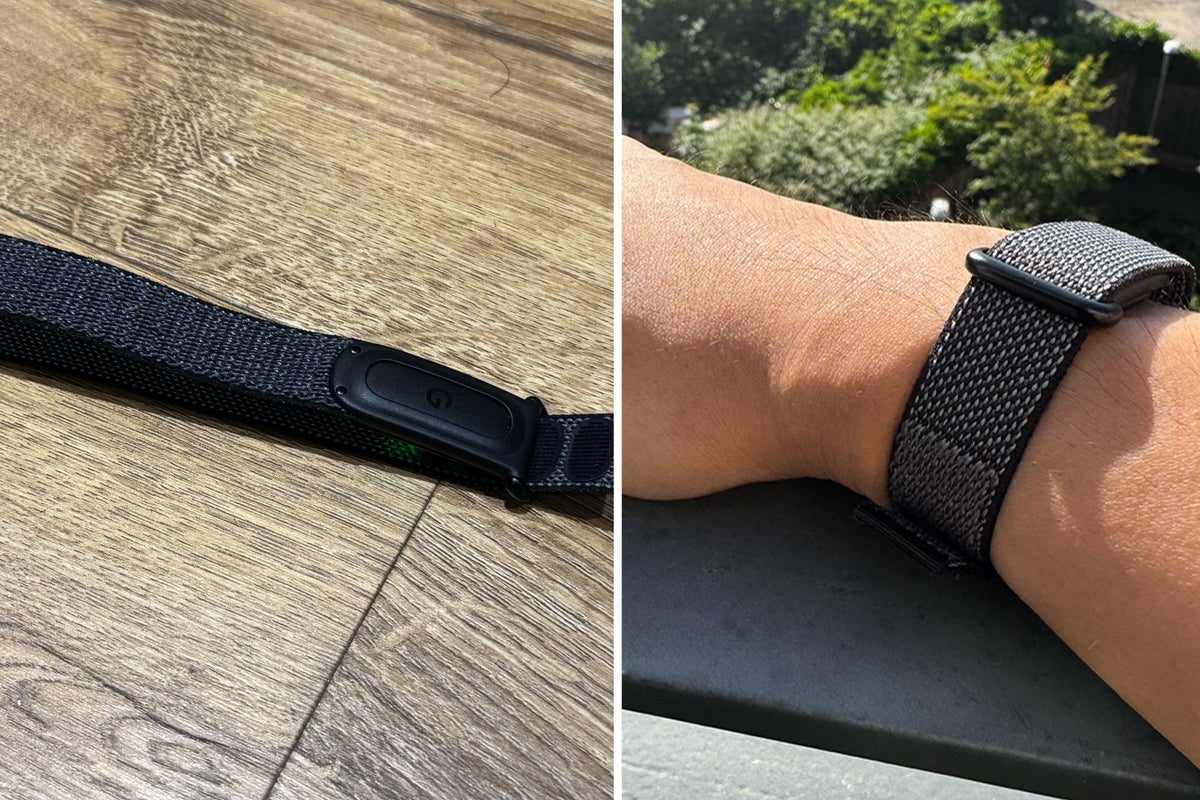
Like many inducted into the CrossFit cult, I’ve been a Whoop devotee for years. I mean, with no competition from any major tech brand offering a similar screen-free fitness tracker that puts recovery front and centre, why look anywhere else?
But this year, that all begins to change. Google has just launched the Fitbit Air – an £85 screenless fitness tracker that costs a fraction of a Whoop, doesn’t require a subscription to work and similarly focuses on passive, round-the-clock health tracking.
For almost two weeks, I’ve had the Fitbit Air glued to one arm and the Whoop 5.0 on the other. I’ve tracked everything from sleep and fitness to recovery metrics such as heart rate variability, respiratory rate and more. But it’s not just the Fitbit Air that could finally give Whoop some long-overdue competition. The completely revamped Fitbit companion app might be the biggest gamechanger.
Now rebranded Google Health, Fitbit’s new platform is powered by an ultra-intelligent AI coach that adapts to your metrics, routines and, basically, anything you tell it, creating a hyper-personalised experience that I’ve not seen elsewhere.
With Google launching the Fitbit Air and Garmin expected to unveil the Garmin Cirqa in the coming weeks, Whoop has officially been put on notice. I’ve tested the wearable while battling severe jetlag in Japan, going running and attending functional fitness sessions. I’ve scrutinised everything from recovery scores to nutrition and heart health metrics. Can the Fitbit Air compete with the Whoop? I’ve found out.
Read more: Fitbit Air vs Whoop: Can Google’s tracker compete with the best?
Fitbit Air
Rating: 4.5/5
Why we love it
- Extremely light and comfortable
- Much cheaper than Whoop and doesn’t require a subscription to work
- Google Health's AI coach was actually useful
- Excellent sleep and recovery tracking
- Comes with a smart wake alarm
- Simpler design and charging system than Whoop
Take note
- Auto-workout detection struggled with CrossFit and functional fitness
- Dedicated stress tracking is missing
- Some advanced coaching features locked behind Google Health Premium
Fitbit Air: Design
As someone who’s worn a Whoop for years, I’ve never really liked the design. The wearable itself is, of course, excellent, but the whole system around it has always felt unnecessarily complicated and overly fiddly. Whenever I want to swap bands, I have to unclip and rethread the sensor and the way you charge the Whoop is just as head-scratching, requiring you to slide a battery pack onto the device while still wearing it. Totally clunky – it always takes me a minute for me to get it on.
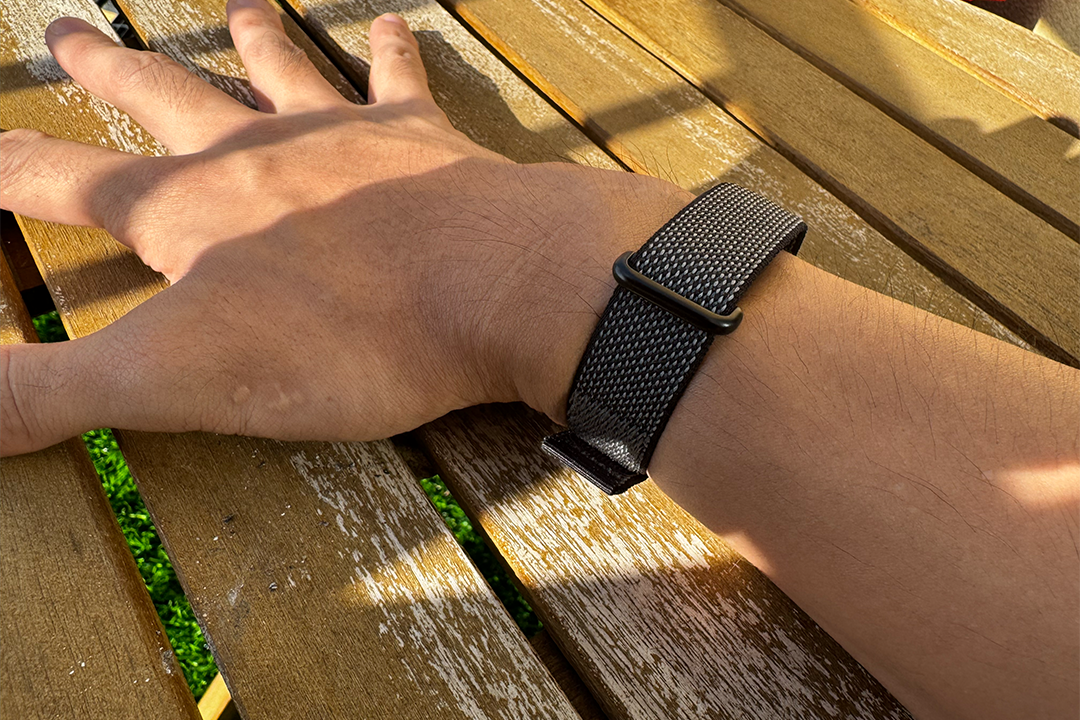
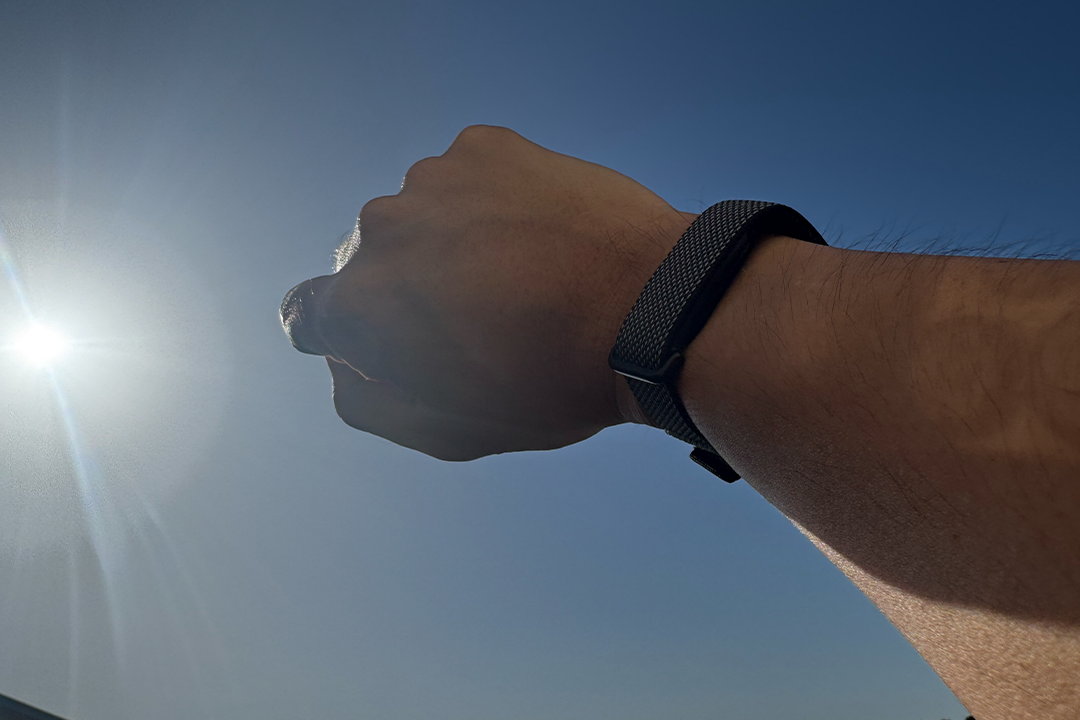
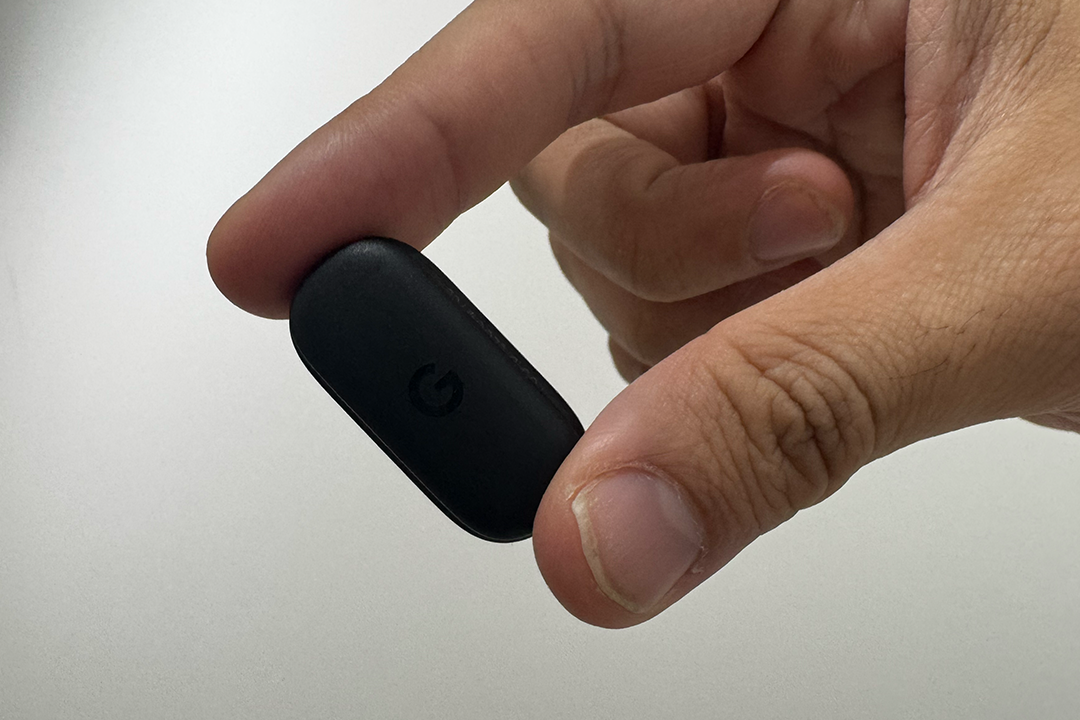
So I was absolutely thrilled when I unboxed the Fitbit Air and saw how ruddy simple it was. It’s so easy to wear and looks so minimal on your wrist. The tracker itself is just a tiny pebble that slots into the included Velcro fabric band. You tighten it on your wrist and pull the strap over the top to secure it in place. You don’t need to wrestle with an annoying metal clasp, like you do with the Whoop.
And it’s tiny. The Fitbit Air is just 17mm wide and 8.3mm thick, making it one of the smallest fitness trackers I’ve worn. Over the past couple of weeks, I’ve actually forgotten I was wearing it. The ultra-lightweight design makes it especially ideal for sleep tracking. For context, the Whoop 5.0 is roughly 7mm wider and 2.3mm thicker.
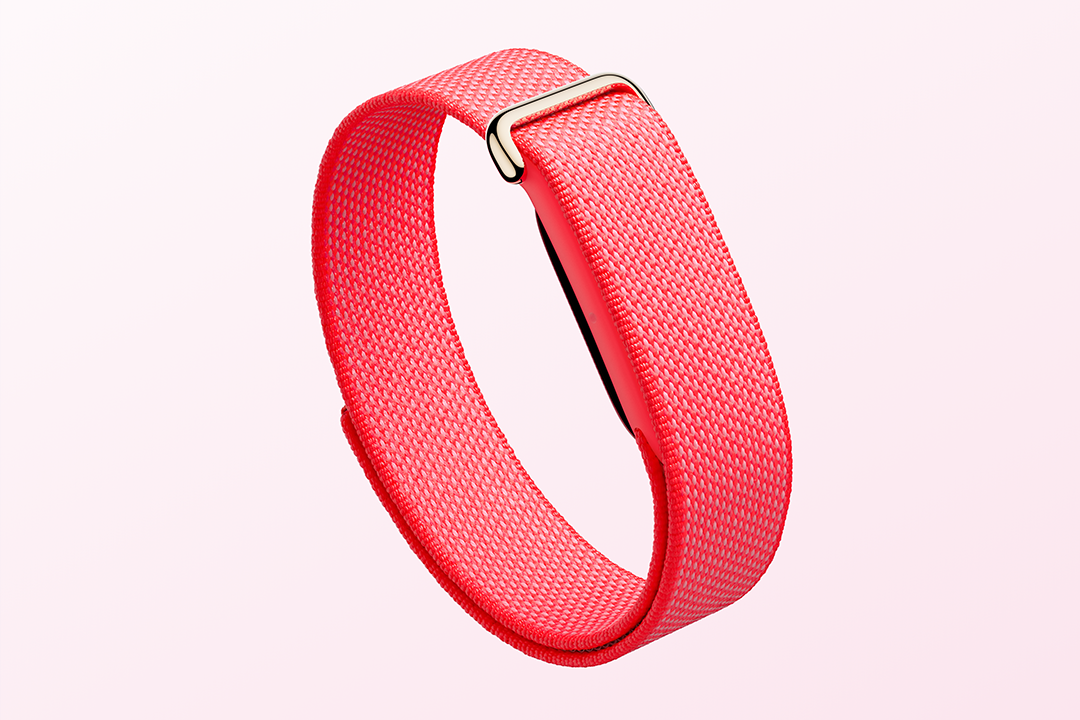
The performance band itself is soft and comfortable and never irritated my skin. Because the tracker sits so flush against your skin, it almost disappears. You can get the performance loop band in one of four different colours – obsidian, fog, lavender and berry, and Google also sells separate active bands in silicone for sweatier, swim-ready workouts. There are also more fashion-focused leather bands as well. There’s even a Stephen Curry special edition band that comes in orange.
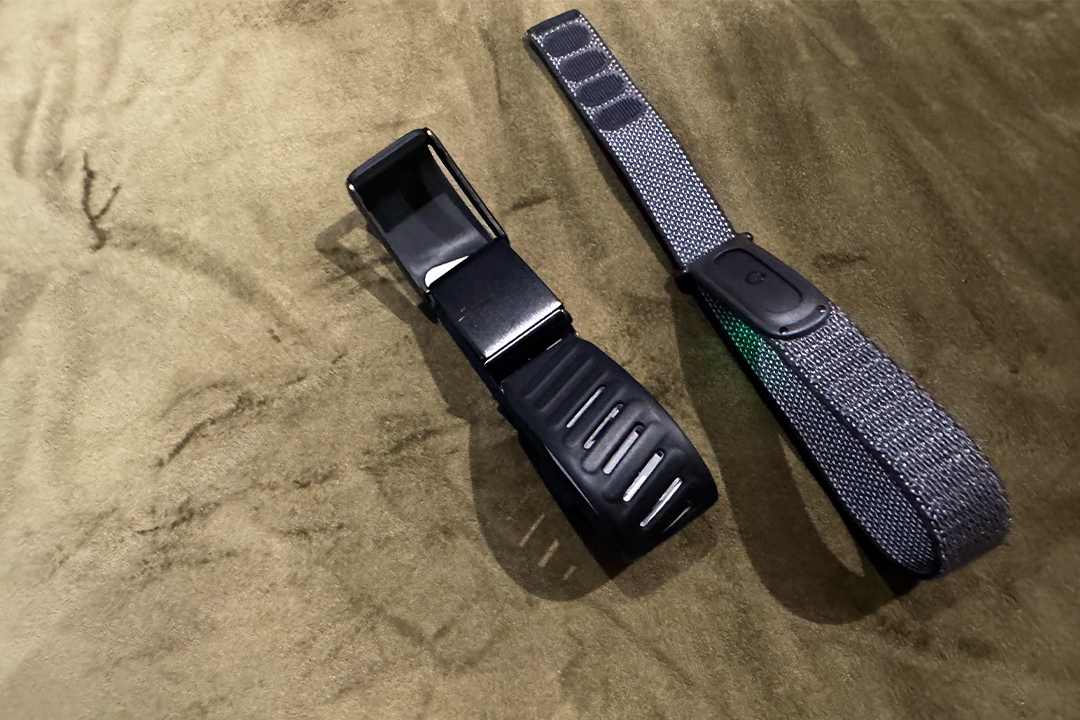
I think Whoop still has the edge in terms of sheer customisation, with everything from leather and knit bands to bicep straps and Whoop Body clothing, so you’ve got more ways to wear the tracker, but that’ll surely improve as the Fitbit Air ages.
Fitbit Air: Setup
Setting up the Fitbit Air is a doddle, and it’s actually quite unlike anything I’ve tested before. After popping the tiny pebble-shaped tracker into the band and putting it on charge, you just pair it with the Google Health app and you’re essentially good to go. Being screen-free, you don’t have to configure any apps or watchfaces.
But the reason why it’s so unique is because of the revamped Google Health app, which turns the usual setup process into a chat. Instead of manually entering lots of information, Google wants you to have a conversation with its new AI coach to build out your profile.
I was first asked about my goals and what I wanted to achieve. I told it I wanted to reduce my body fat percentage and lower my stress levels. The coach immediately linked the two together and initially suggested increasing my daily step count and adding more intentional walks as a low-stress way to improve both.
But interestingly, once I mentioned I regularly attend CrossFit sessions, it became even more personal. Instead, it said I could ditch the walking and work on training consistency, recovery and workout intensity instead.
From there, it started asking follow-up questions. How often do I train? What does my weekly CrossFit schedule look like? Do I have any limitations? Would I rather have it automatically build a plan for me, or work through one together?
Because CrossFit can be demanding, it recommended creating the plan collaboratively. It then proposed tracking four CrossFit sessions per week and monitoring my recovery and heart rate zones during workouts to make sure I was recovering properly between sessions.
What was fascinating, however, was that it even adapted to things I told it. When I mentioned I was heading to Japan for a work trip so that training wouldn’t be possible this week, the coach suggested pivoting away from CrossFit goals to a more travel-friendly step target, just for this one week. And so I did. It really does feel more like talking to someone than doing the boring task of setting up a new fitness tracker.
It isn’t perfect, however. Like a lot of AI, it struggled with dates and timelines. After adjusting my plan around the Japan trip, it still got confused about what day I was leaving, how long the trip was and how long I’d be away for.
It’s a classic generative AI issue that still seems to plague the tech, and occasionally made setup frustrating as I had to tell it that, no, today was not Friday, and the week-long trip did not end in two days’ time. In fact, it occasionally still thinks I’m in Japan, just because it gets confused with timescales.
Fitbit Air: Features and performance
The Fitbit Air tracks all the basics you’d expect, including 24/7 heart rate, sleep stages, resting heart rate, blood oxygen, heart rate variability, respiratory rate and skin temperature and irregular rhythm notifications for atrial fibrillation.
It also tracks workouts, steps and has a new weekly cardio load target metric, which is effectively its answer to Whoop’s strain. It measures how much cardiovascular stress exercise places on your body.
You also get a daily readiness score, which looks at your heart rate variability, sleep and resting heart rate, so you know how ready you are to work out. One feature I really like is the smart alarm clock – it can wake you up at the optimal time before your chosen wake time, by gently vibrating against your wrist. It’ll snooze automatically if you don’t firmly double tap the top of the Air. That said, as a fairly deep sleeper, I wouldn’t always rely on it, I sometimes still managed to sleep through the haptics. You can also check battery life by double tapping the device. The alarm is a neat feature that Whoop doesn’t have.
Most of this works without a subscription to Google Health Premium, which costs £7.99 per month after the included free trial. While the tracker works without it, many of the AI insights, contextual recommendations and coaching tools I’m talking about here are locked behind the subscription. You don’t need it to use the Fitbit Air (a benefit over the Whoop), but you’ll definitely get the most out of the device if you do take out a subscription.
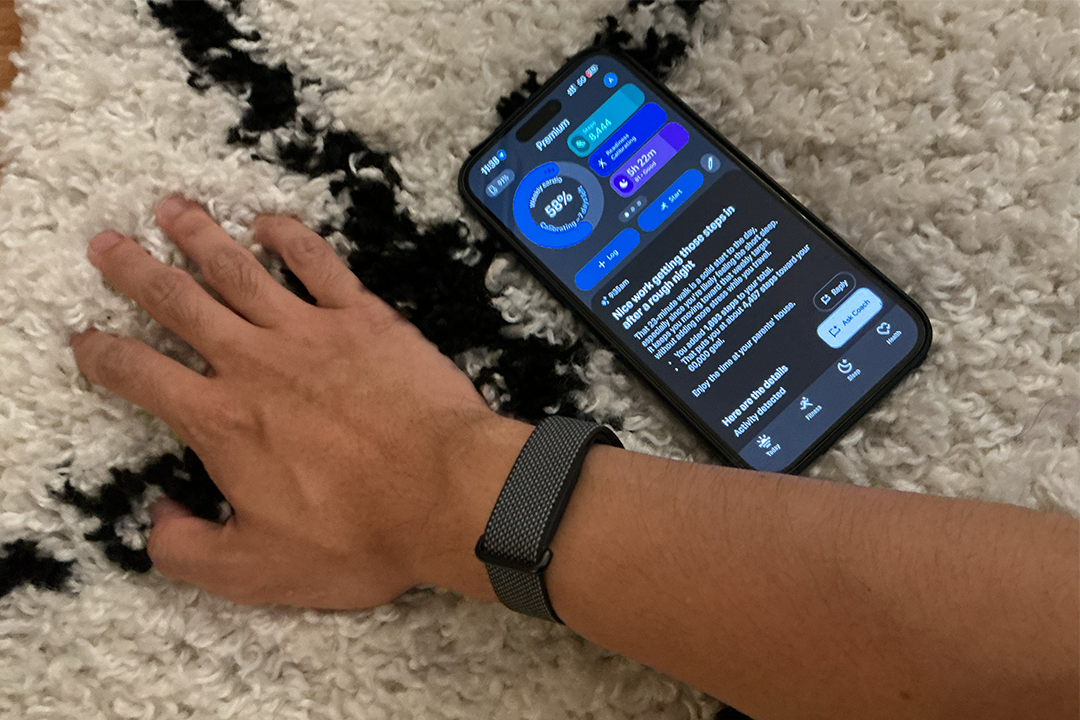
It’s also worth noting that, much like Whoop, some of the advanced insights take time to calibrate. It took about a week before my daily readiness score became available, with Google Health gradually learning my sleep, recovery and activity patterns to build a baseline. The coaching also became noticeably more personalised. Early recommendations focused a lot on steps and movement, but as it learnt my CrossFit schedule, travel plans and recovery patterns, the guidance became much more tailored.
Sleep tracking was excellent, particularly while travelling around Japan and battling severe jetlag. It didn’t merely track my sleep stages, but also gave context around it, noticing I was sleeping badly due to the change of location. One night, after getting just 2 hours and 21 minutes of sleep and going to bed at 3:12am, my sleep score crashed to 49. The following day, my readiness score fell to 25, with Google warning me that my recent sleep trend was worse than my 28-day average.
What really impressed me was the detail. Rather than just telling me to sleep more, Google Health spotted that it had taken me 39 minutes to reach sound sleep and linked my suppressed REM sleep to travel stress and recovery. And because Google Health can access my location, coaching also became more specific. At the airport, it reminded me that my time in Heathrow was a nice way to get in steps. During the trip, it recognised I no longer had access to CrossFit sessions and temporarily moved me over to movement targets instead. Once I landed back in the UK (it knew I was back based on my location), it welcomed me home and pivoted back to my original training goals, with a new weekly programme inside the app.
So far, the Fitbit Air has seemed just as accurate as my Whoop, with both tracking similar data and identifying the same patterns. Both trackers showed recovery tanking during travel and sleep disruption becoming immediately obvious.
Read more: I’ve tested the best fitness trackers on the market – these are my favourite options
The Fitbit Air noticed my heart rate variability had dropped to 12ms, while resting heart rate climbed from my usual 53bpm baseline to 65bpm, which was a pretty clear sign my body wasn’t enjoying the time-zone shift. Fitness tracking is decent – after workouts, I could view my cardio load, total energy burned and estimate VO2 max, which measures aerobic fitness and endurance, basically telling you how efficiently your body uses oxygen during exercise.
Missing from the Fitbit Air, however, is dedicated stress tracking, which is one of Whoop’s best features. Another area I think the Fitbit Air needs work on is its auto-workout detection. The Fitbit Air automatically detected activities such as walking and cycling during testing. It can also detect running, cycling, hiking, elliptical workouts, aerobics and general sports, but it really struggled with CrossFit, Olympic lifting and functional fitness sessions. I had to add them manually.
The Whoop, however, has recognised pretty much every workout I’ve thrown at it over the years, from CrossFit WODs and Hyrox-style sessions to general strength training. It does feel more athlete-focused than the Fitbit Air.
That said, the Fitbit Air still did a good job of recognising effort through Cardio Load. One particularly brutal CrossFit session contributed 52 points alone, helping push my weekly cardio load score to 88 against a target of 75.
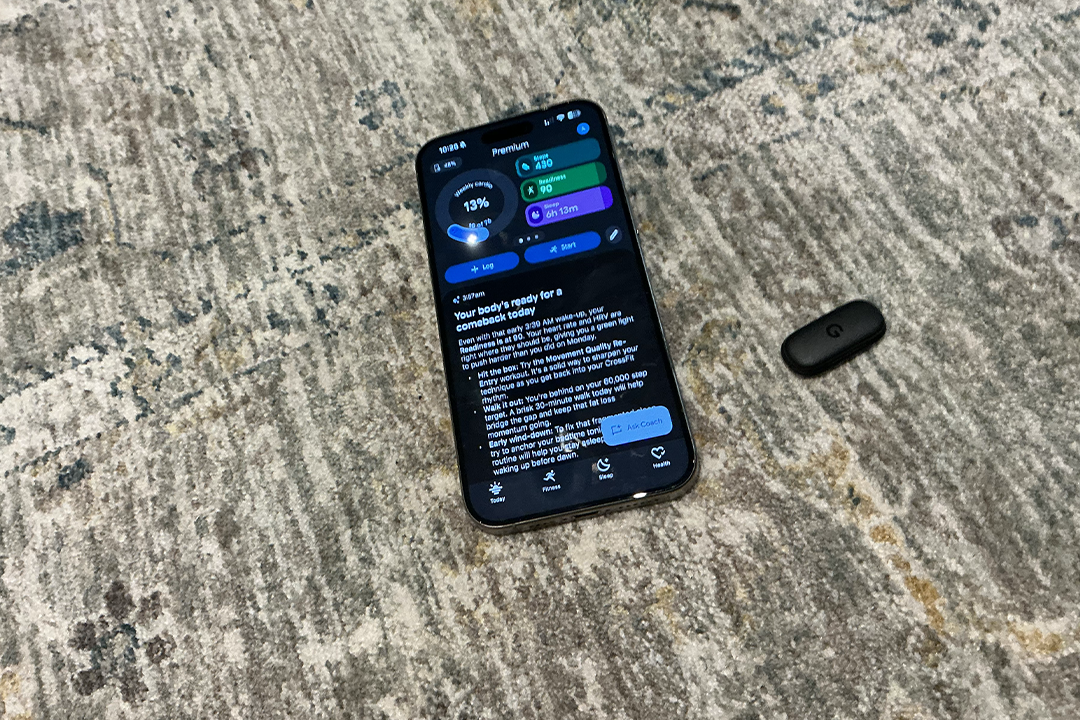
In terms of other features? Inside the app, you can log nutrition and hydration, either manually, via barcode scanning, meal photos or conversational AI prompts. You can even sync the app with third-party services like MyFitnessPal if you already track your meals elsewhere.
And if you’re like me and love competing with your friends as it keeps you motivated and accountable, there are some new social features as well. You can now compete with others on shared leaderboards based on steps and cardio load, giving Fitbit something akin to Apple Watch’s competitions.
Those in the US can also sync their medical records with Google Health. Google says this feature will arrive in the UK in the future.
One neat addition with Google Health Premium is its recommended workouts feature – based on your goals, it can recommend specific workouts. It told me to start with some stretching, including cat and cow, bird dog, followed by squats, planks, before finally moving to the active session of rowing, walking lunges and high plank. That, it said, would help get me back into a routine after my trip away.
There’s also a huge library of video workouts to watch and follow – it’s very similar to Fitness+ on Apple Health.
Right now, I think the Whoop still feels better for those serious about fitness. Recovery, sleep debt and strain feel like they’re tied together a bit more and it feels more granular in terms of data, especially for CrossFitters. But Google Health feels slightly smarter and more aware of everything happening in my life, with easier to follow guidance and coaching.
Fitbit Air: Charging and battery life
I much prefer Fitbit’s charging system compared to Whoop’s. While you can’t charge it on the move, like you can with a Whoop, I’m not someone who tended to do this anyway, and sliding the power pack on has always been a pain. You recharge the Fitbit Air using an included magnetic charger. It simply clicks onto the front side of the tracker. It’s dead easy.
Because of its dinky size, you do only get a week charge out of the device – that’s obviously way more than an Apple Watch or regular smartwatch, but while wearing both the Whoop 5.0 and Fitbit Air, I’ve had to take the Air off once to charge, while my Whoop has kept going, and it still hasn’t died. What I would say though is that it does charge super-fast. It takes five minutes for a day’s use, and a full charge takes 90 minutes. The Whoop can take up to 2.5 hours to charge, which is frankly ridiculous.
Key specifications
Buy now £84.99, Amazon.co.uk
Should you buy the Fitbit Air?
Over the past couple of weeks, the Fitbit Air has made me more aware of how my body is reacting to various life events. I walked more while travelling to hit my step goals, paid more attention to recovery while jetlagged and became more conscious of how sleep was affecting my body composition and training goals. I would say the £7.99 subscription is probably worth it if you want to get the most out of your Fitbit Air, but it’s definitely not compulsory.
For dedicated athletes and CrossFitters, I still think Whoop remains the better fitness platform. But for everyone else, Google has built something really compelling: a lightweight, affordable wearable paired with one of the smartest health apps I’ve used. It’s the first serious challenge Whoop has faced in years, and I’ve very happily used it to track my sleep, workouts, overall health and nutrition. If you forced me to choose between the two right now, I’d choose the Fitbit Air – I don’t feel like I’ve missed out on very much whilst using the more affordable tracker. Excellent for tracking my recovery, I’ve honestly enjoyed the AI insights more than I’d like to admit. It’s a fantastic little device.
How I tested
I wore the Fitbit Air alongside my Whoop 5.0 for nearly two weeks, wearing one on each wrist day and night to compare sleep, recovery and health tracking data. I tested it during a trip to Japan, including severe jet lag, long travel days, walking, and while working out.
I compared metrics including sleep stages, resting heart rate, HRV, respiratory rate and readiness scores, while also testing Google Health Premium features such as AI coaching, workout recommendations and trend analysis. I also evaluated Fitbit Air’s smart alarms, automatic workout tracking and Cardio Load features to see how they compared with my Whoop.
Why you can trust IndyBest reviews
Alex Lee is The Independent’s senior tech critic and has been testing the latest technology and smart gadgets for nearly a decade. From smartwatches to fitness trackers, he’s tried hundreds of wearables over the years, assessing everything from sleep- and exercise-tracking performance to specs and comfort, as well as interviewing the people in charge of designing them.
Looking for more recommendations and in the U.S.? Our team has reviewed the best fitness trackers