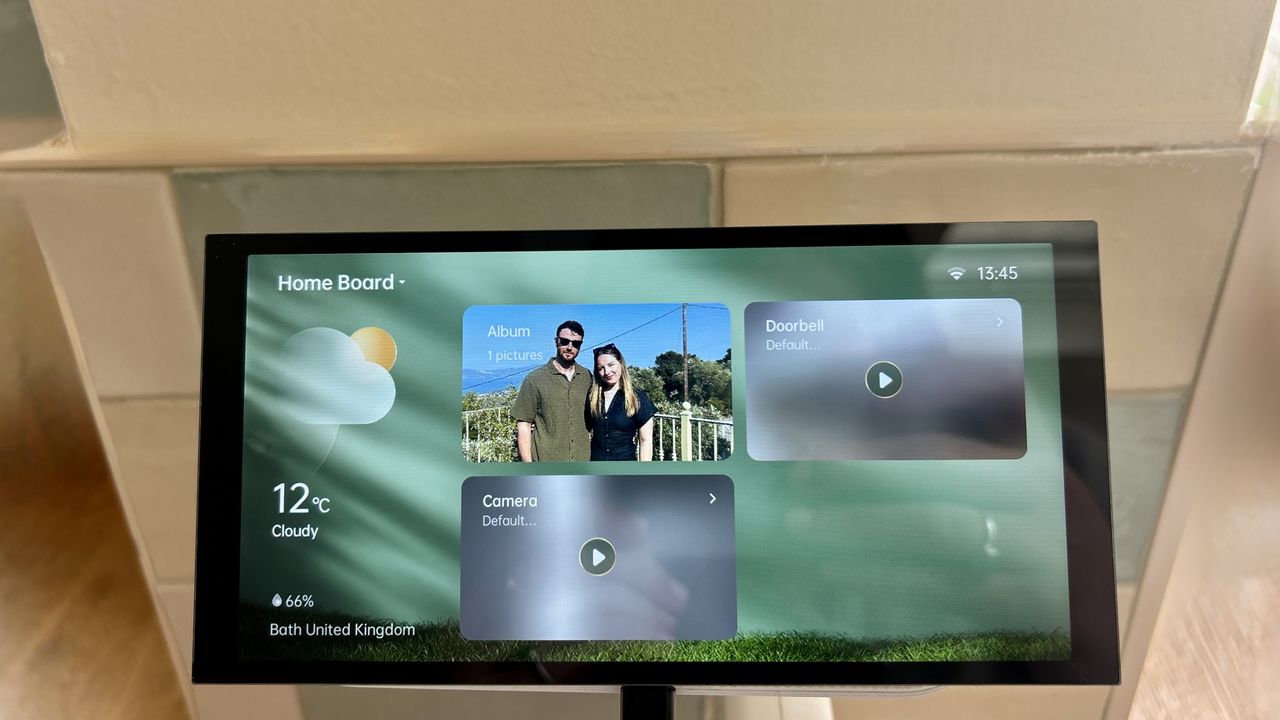
Aqara is already well known for its range of stylish yet functional smart home gadgets, but when the Aqara Panel Hub S1 Plus launched at CES last year, the company took a far more ambitious step forward.
Not only did it promise a huge range of smart home features, but the introduction of a sophisticated control panel like the S1 Plus also strengthened the wider Aqara ecosystem, making it a much more attractive option for users who prefer keeping everything within one smart home platform.
Fast forward to now, and I’ve had the S1 Plus set up in my smart home alongside the Aqara Smart Video Doorbell G410 and Aqara Camera Hub G3. After spending proper time with it, it’s clear Aqara is aiming to compete with some of the biggest names in the smart home space – but does it succeed?
Price and availability
The Aqara Panel Hub S1 Plus has an RRP of £469.99, although at the time of writing it’s currently reduced to around £376 via Aqara's website.
Right now, it’s exclusive to the UK and Europe, despite rumours of a US launch circulating ever since it first appeared at CES.
Unboxing and set up
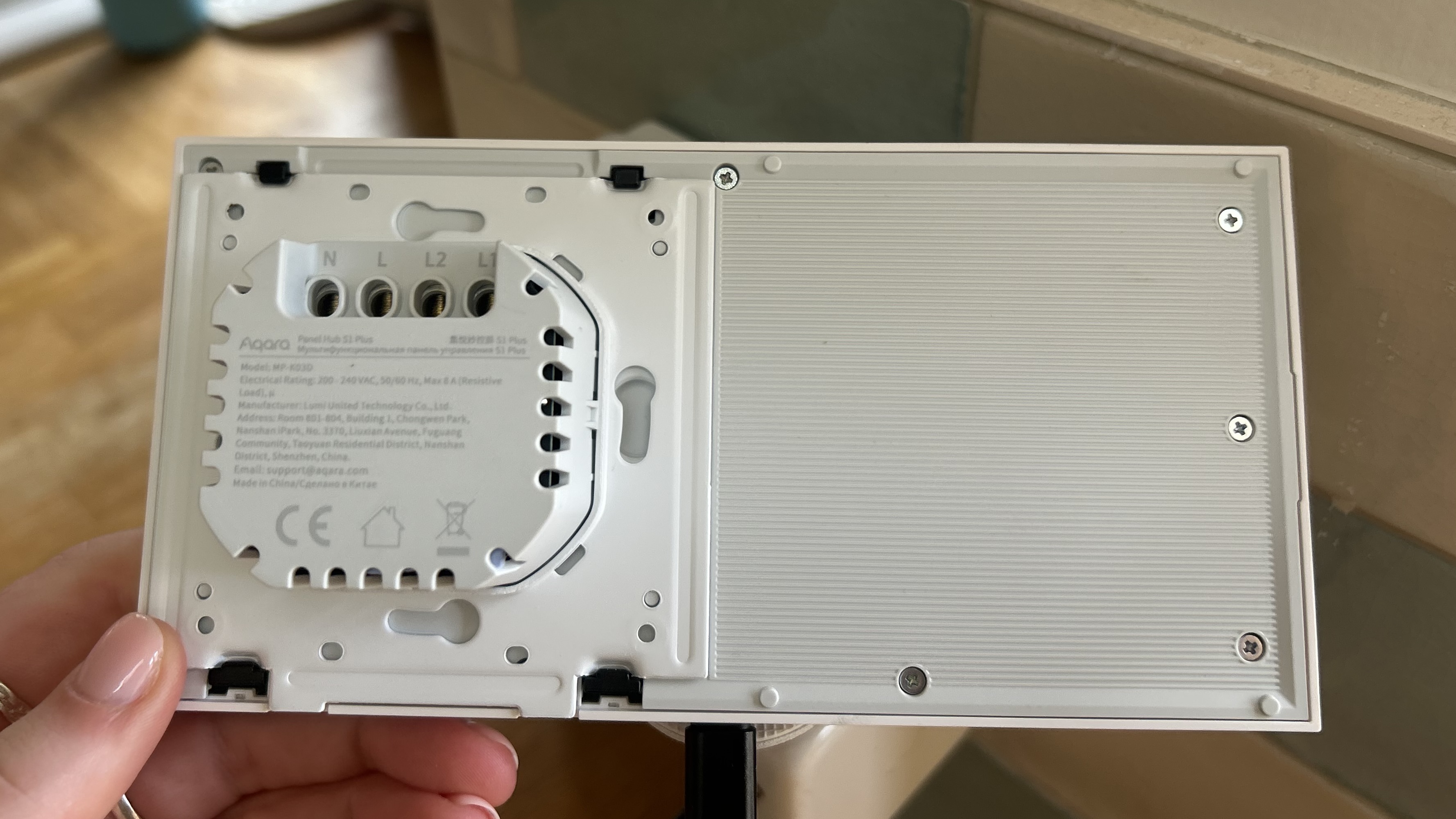
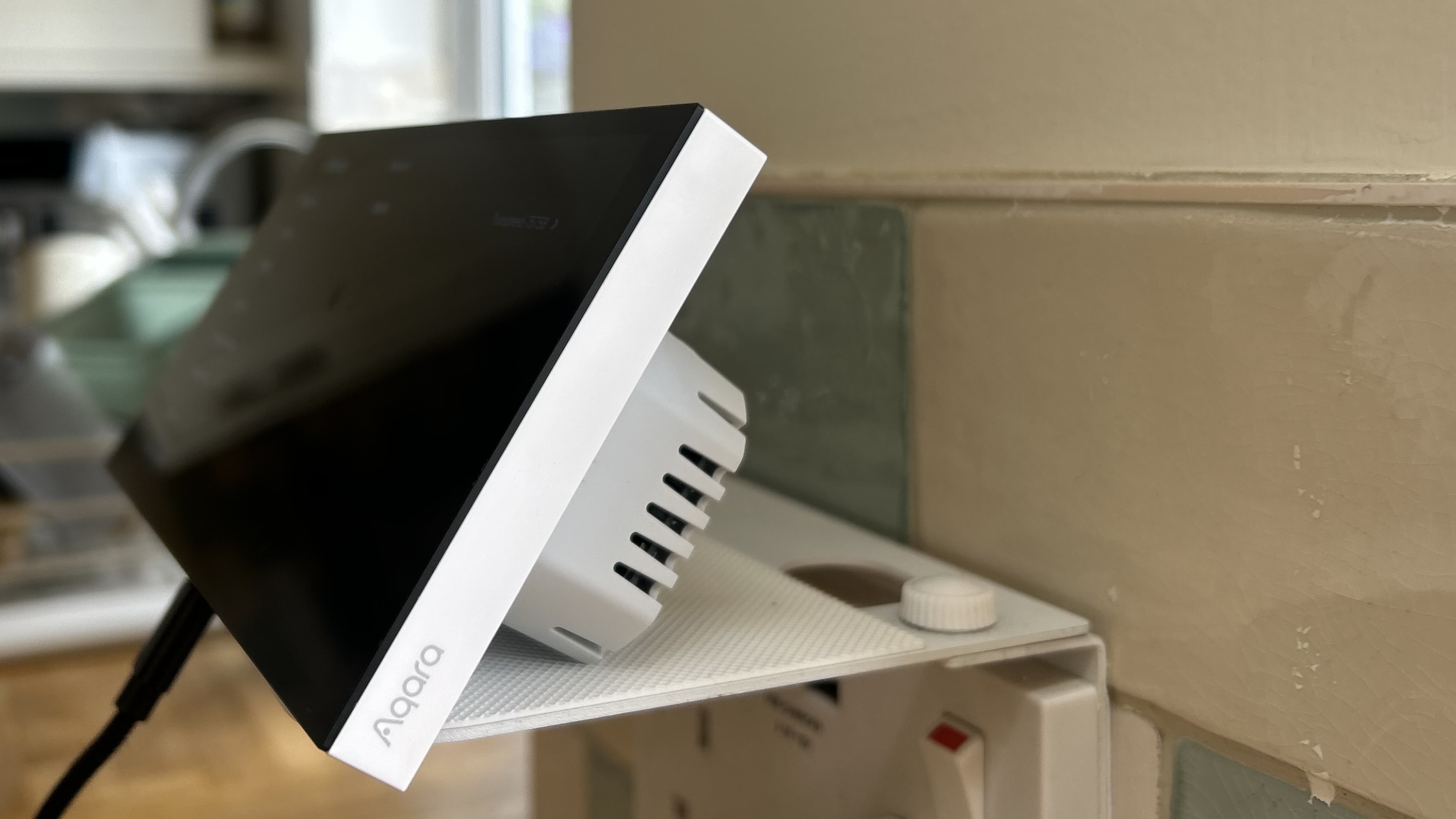
One thing worth pointing out straight away is that, although it looks like a permanently installed smart home panel, the S1 Plus doesn’t necessarily have to live on your wall. Most people probably will mount it there, but Aqara has also included a USB-C port on the bottom, allowing it to be powered whilst resting on a desk or countertop instead.
If you do decide to install it properly, the process involves replacing a standard wall switch and requires a neutral wire, live wire, and support for up to two lighting loads. Aqara provides installation guides on its website, although I actually think the panel looks premium enough sitting standalone too, especially if you don’t fancy dealing with rewiring your walls.
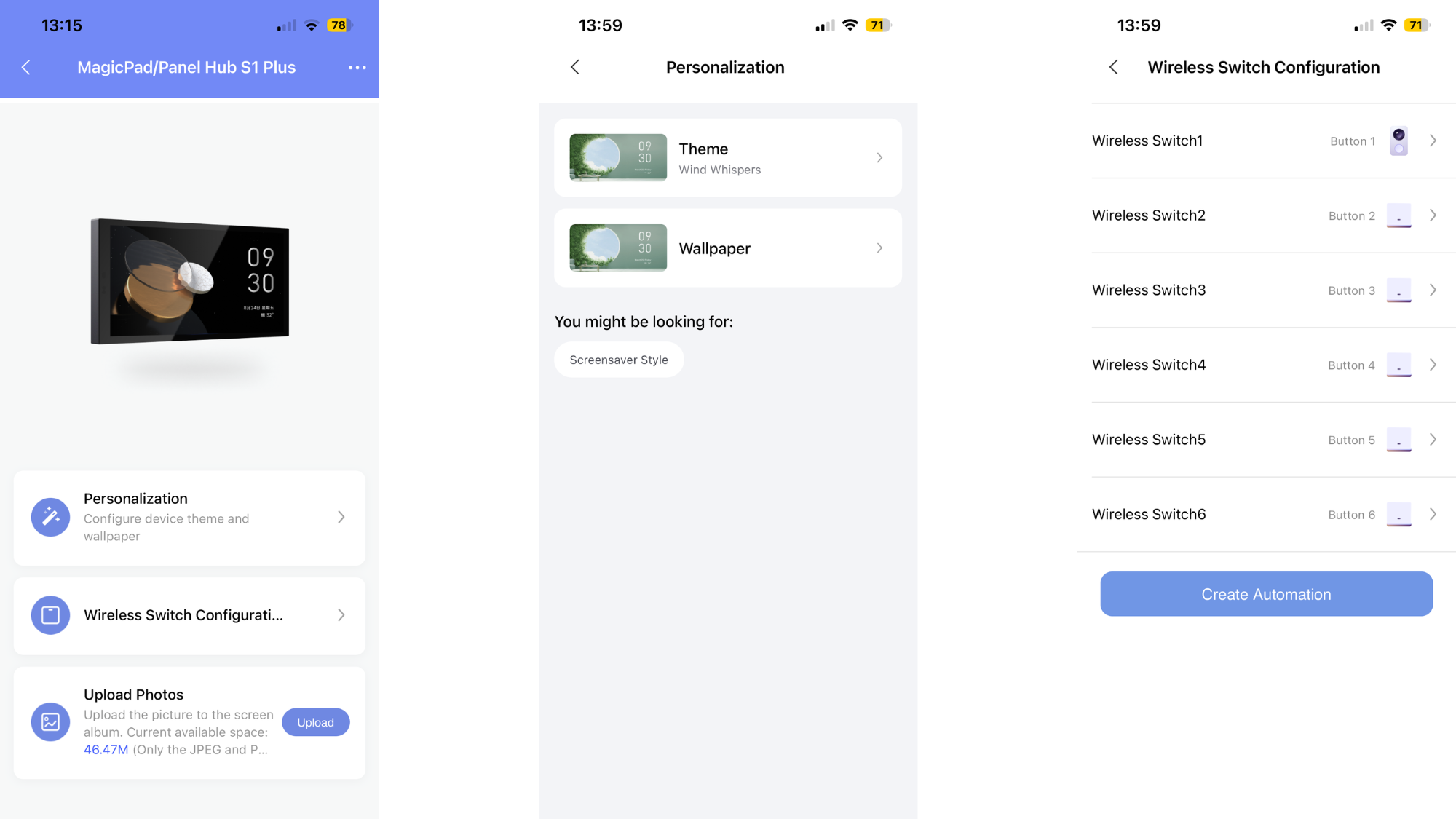
Once powered on, setup is fairly straightforward. You select your language, scan a QR code to sync the hub with your smart home setup, and then choose whether to connect it through Apple HomeKit or the Aqara app. I opted for the Aqara app route first, as that’s where you unlock the S1 Plus’ full feature set and customisation options, all found within the accessories tab.
Design and features
The Aqara Panel Hub S1 Plus features a sleek glass-fronted design with slim bezels and a minimalist finish that fits nicely into modern interiors. It’s available in both black and white finishes and includes a large 6.9-inch touchscreen display. It also ships with a protective film applied, so make sure to remove that before use to avoid blurry visuals.
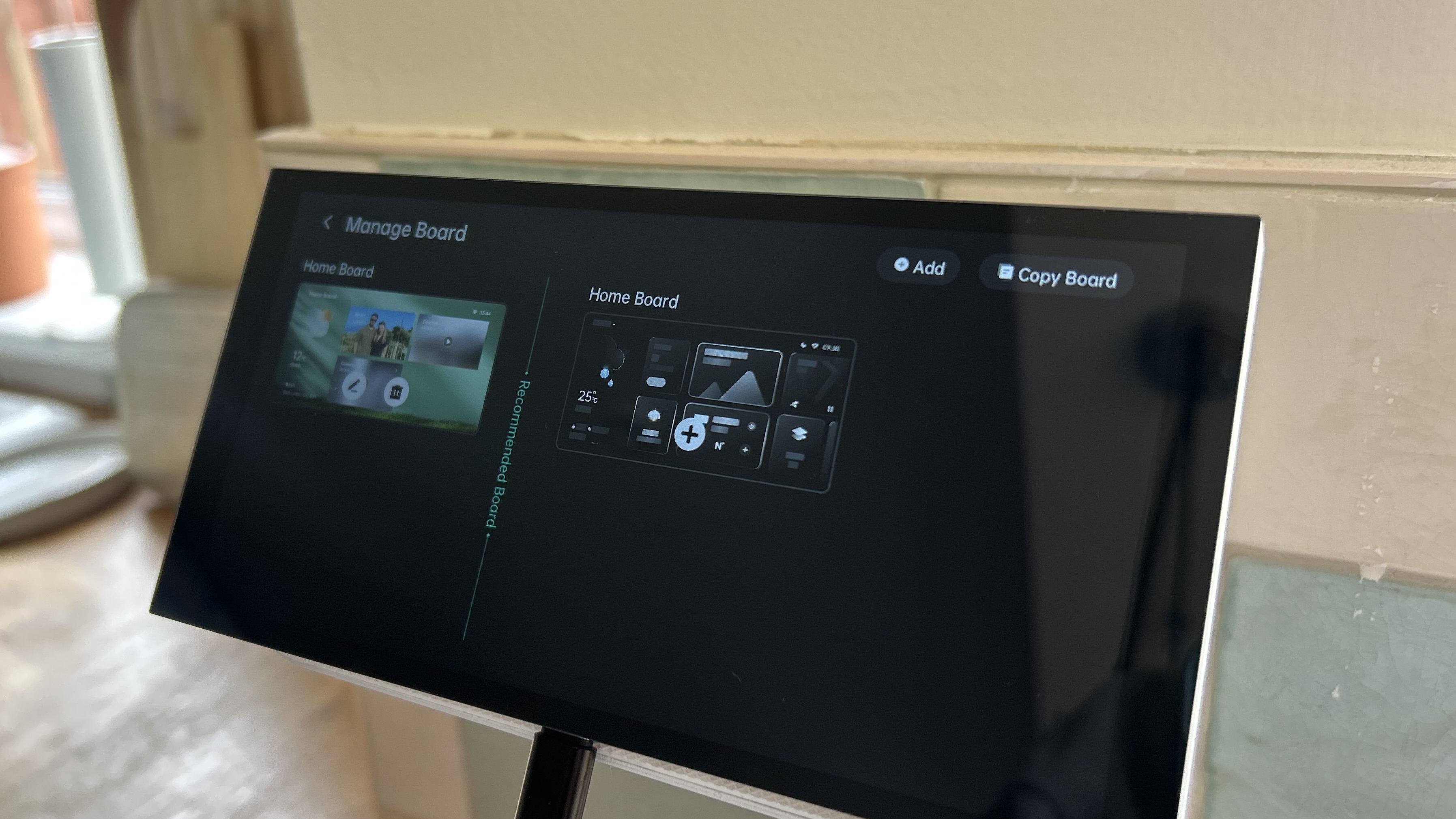
The display itself has a 1440 x 720 resolution, which feels perfectly sharp enough for controlling devices, viewing camera feeds and navigating the dashboard. Users can create multiple dashboards for different rooms, routines or devices and quickly swipe between them directly on-screen.
The S1 Plus works as both a Zigbee 3.0 hub and a Matter bridge, meaning it can connect Aqara devices whilst also integrating with platforms such as Apple Home, Google Home, Amazon Alexa, Samsung SmartThings and Home Assistant. In practice, this removes the need for a separate Aqara hub entirely.
For Apple users specifically, there’s also built-in Siri support, although you’ll still need an Apple HomePod or HomePod mini acting as your primary smart home hub for everything to work correctly.
One of the standout features is support for live camera streaming directly on the display. If you already own an Aqara camera or video doorbell, the S1 Plus can show live feeds and even support two-way communication straight from the panel itself. To enable this, the devices simply need to be connected within the Aqara app first, after which they can be added to your dashboard cards. Automations are also managed through the app.
You can also customise the experience further by uploading your own images through the Aqara app to use as buttons or screensavers. I also added a weather widget, which is something I always like having available on smart home displays.
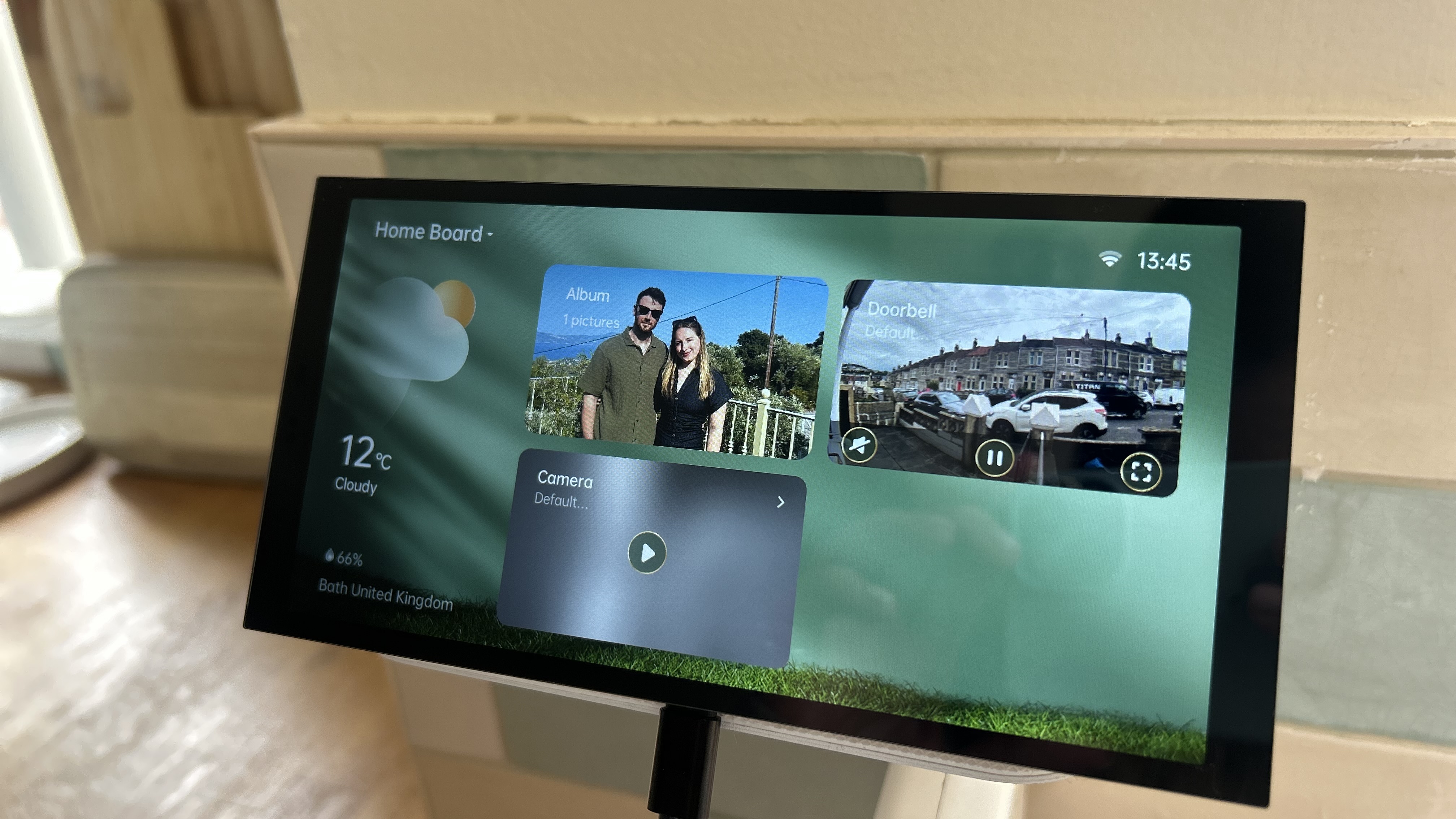
Another feature I ended up liking more than expected is the proximity wake sensor, which automatically lights up the display when somebody approaches within around 2.5 metres. Combined with adaptive brightness controls that automatically adjust the display depending on ambient lighting, this made the whole experience feels very responsive in day-to-day use.
Performance
As someone who already uses several Aqara smart home products, I’ve really enjoyed having the Aqara Panel Hub S1 Plus in my home. It fits naturally into my ecosystem, and I particularly liked having quick access to my security devices and camera feeds directly on-screen. That said, it’s worth noting that I’ve mainly used the S1 Plus within the Aqara ecosystem itself rather than fully exploring its Matter capabilities.
As all my Aqara devices were already configured inside the app, getting everything displayed on the hub was incredibly simple, and that seamless setup is definitely one of the biggest advantages of staying within the Aqara ecosystem.
After adding photos, changing backgrounds and setting up widgets like the weather, it became clear that personalisation options are relatively limited if you’re only sticking with Aqara devices.
At times, I did find myself missing features like music streaming or entertainment controls that I regularly use on Amazon Echo devices. However, the S1 Plus isn’t really trying to be a full entertainment hub – it’s more of a dedicated smart home controller with a screen, and viewed that way, it makes much more sense.
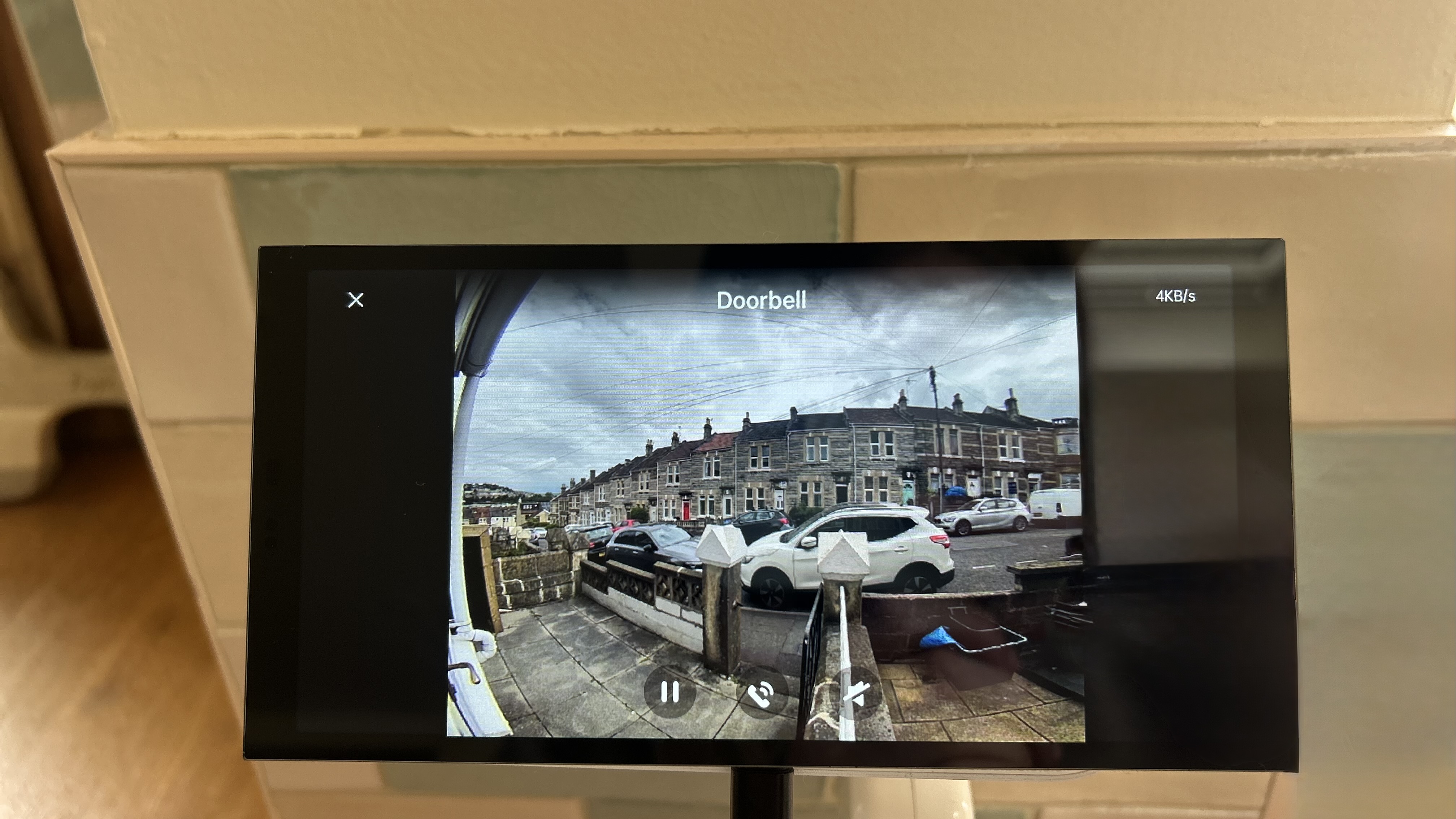
In daily use, I found the display quality absolutely fine for what it’s designed to do, and I was particularly impressed with the quality of the camera streams from both my Aqara security camera and video doorbell. Occasionally there was a slight delay or momentary lag when navigating the interface, but never enough to become frustrating.
One limitation that did bother me was the live camera view system. Whilst you can add multiple camera shortcuts to the dashboard, the S1 Plus only allows one live stream to be displayed at a time. That feels unnecessarily restrictive, especially considering the size of the screen.
It’s also worth mentioning that if you plan to use the S1 Plus without wall mounting it, stability can become an issue. Since the device is primarily designed for permanent installation, it doesn’t stand particularly securely on its own. I managed to work around this using a smart speaker outlet stand, but pressing too firmly on the display did still cause it to tilt backwards.
Verdict
The Aqara Panel Hub S1 Plus is a really useful smart home controller that makes the most sense for people already invested in the Aqara ecosystem. Its premium design, reliable feeds and built-in hub functionality make it feel far more sophisticated than a standard smart display. Whilst it lacks the broader entertainment features and flexibility offered by devices like the Amazon Echo Show, it succeeds as a dedicated smart home control centre. For Aqara users specifically, it’s one of the best-looking and most seamless control panels currently available.
Alternatives to consider
If you’re specifically looking for a smart display that works with gadgets from lots of different brands rather than leaning heavily into one ecosystem, I’d probably recommend something like the Amazon Echo Show 8. I recently reviewed it myself and absolutely loved how versatile it is, especially when it comes to broader smart home compatibility and media features.