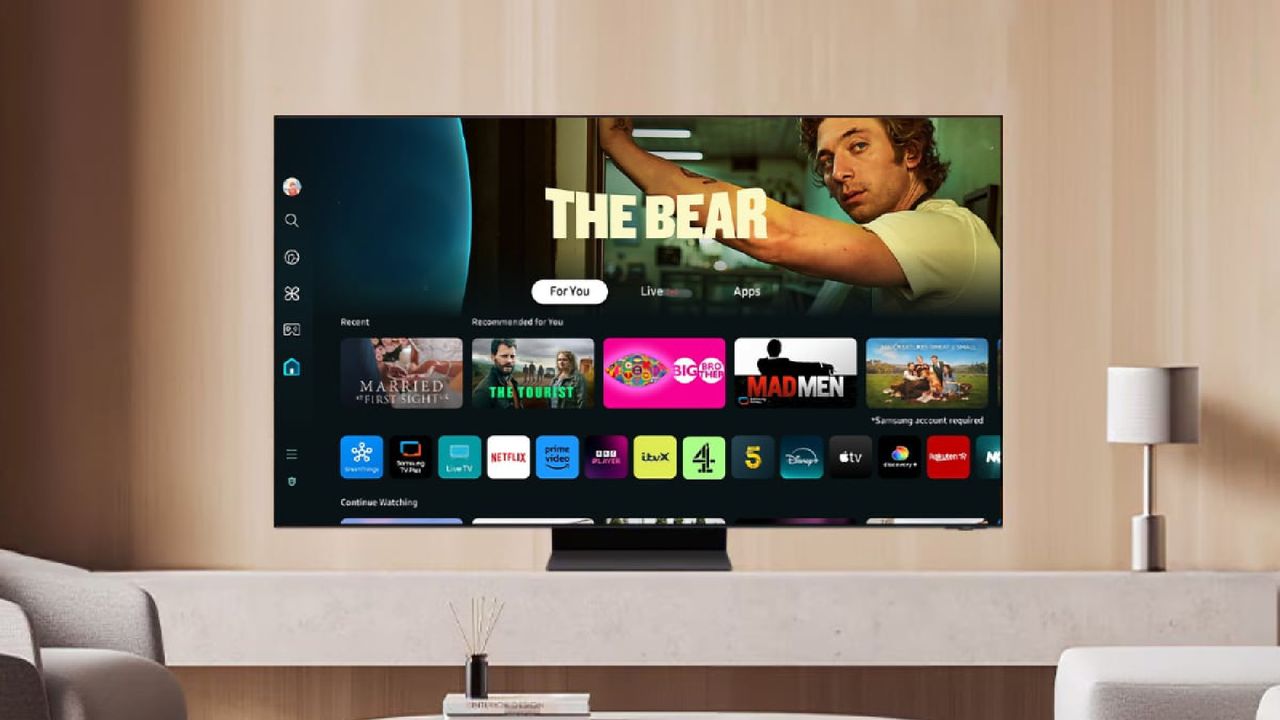
Samsung TVs are slated for a huge software upgrade: Native Google Cast support is rolling out starting today via a new update.
The feature allows you to use Google’s link-sharing protocol to share content from a phone or tablet to a TV. Until now, Samsung TVs have relied on either Smart View or Apple AirPlay to achieve a similar result — but they’re no substitute for native Google Cast.
Not only will the best TVs from Samsung's 2026 lineup get the update, but it appears that select 2023 and 2024 models — like the Samsung S95D, the TV I use on a daily basis — are also on track to receive it as well.
How haven't I noticed this until now?
The most shocking part of this story for me as someone who covers TVs for a living is that Samsung TVs lacked this integration for years.
The most shocking part of this story for me as someone who covers TVs for a living is that Samsung TVs lacked this integration for years.
I mean, it’s never been much of a problem because Smart View and AirPlay are similar means to the same result, but I’m still shocked that it’s taken Google Cast this long to make its way into Samsung TVs.
Of course, if you’re being pedantic about it, Google Cast and the two aforementioned screen mirroring services do function differently. The latter takes whatever’s playing on your phone and sends a one-to-one copy of it to the TV. Google Cast shares the link of whatever you’re watching and sends it to the TV — that allows you to continue using your phone regularly without disrupting the playback.
This is a minor difference, I know, but one that has practical implications.
How will you know when it's available?
I'll admit, I was so skeptical about Google Cast not existing on Samsung TVs that I had to verify it for myself: I loaded up Netflix and, lo and behold, there was no way to Cast it to my 2024 Samsung TV.
So the most obvious sign that your TV got the update is that you will suddenly be able to Cast content.
However, you can also skip the whole waiting around part and simply check for an update to the new One UI interface.
To do this, go to Settings > Support > Software Update > Update Now. I checked mine this afternoon, and it was already available for me to download.
Long story short, guess who's going to stream content from HBO Max without using a remote tonight? This guy.